



Automation
Testing
Cypress vs Selenium
Cypress vs Selenium in 2026: Choosing the Right Testing Framework for Your Stack
Untested code is code that will break in production. The question isn't whether to test - it's which tool to test with. And in 2026, that choice comes down to how your team works, what you're building, and what you're optimizing for.
The Question Every QA Team Faces
You're building a web application. You know you need automated tests - manual testing doesn't scale, regression bugs slip through, and every deploy is a gamble without a test suite protecting you. But which testing framework do you choose?
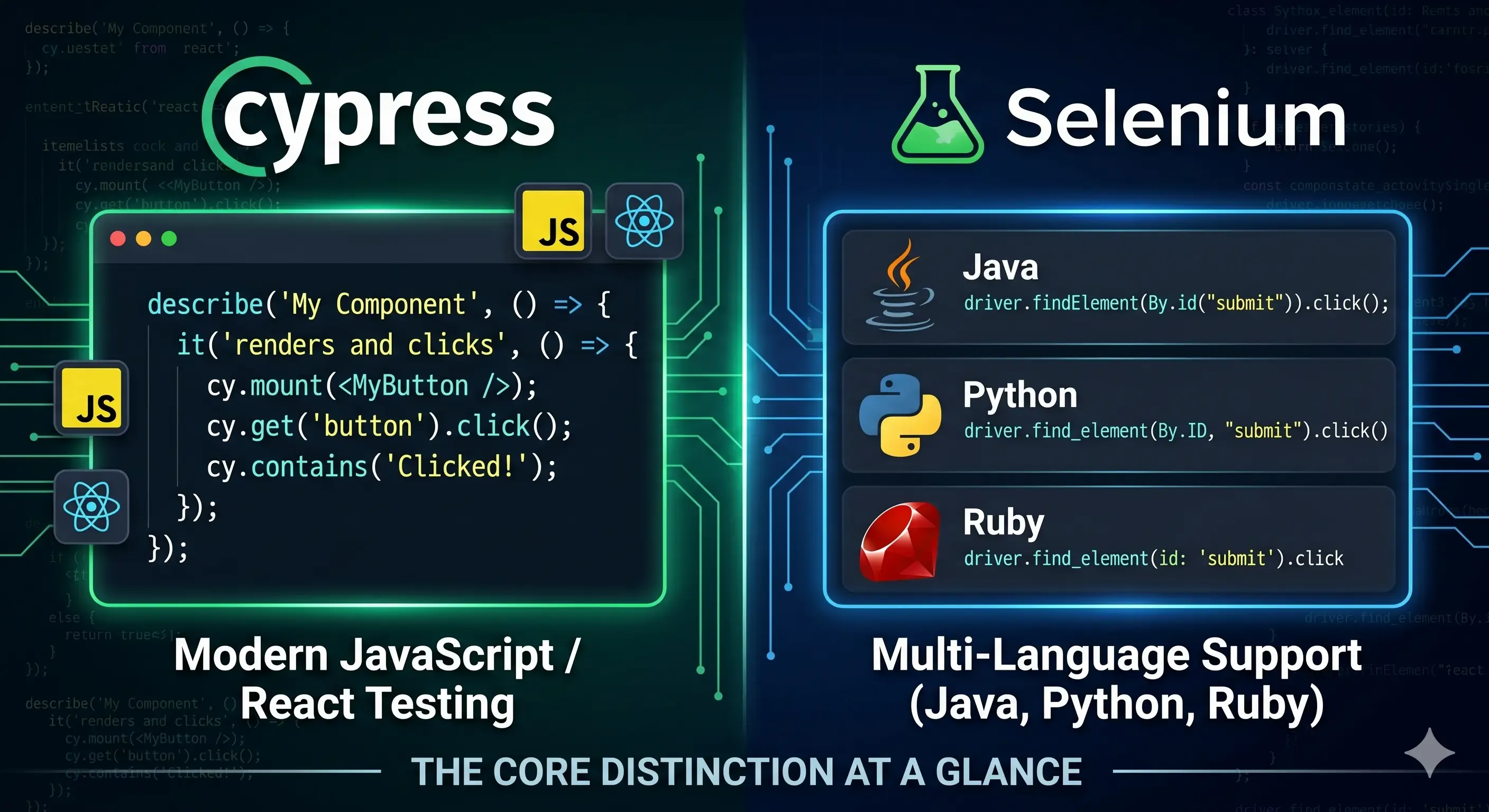
Cypress has exploded in popularity over the last few years. Developers love it because it's fast, it's JavaScript-native, and it runs tests in the same browser context as the application. It's the modern choice for teams already building with React, Vue, or Angular.
Selenium has been the industry standard for over a decade. It's battle-tested, supports every major programming language, runs tests across every browser, and has an ecosystem of tools built around it. It's the enterprise choice, the polyglot choice, the "we have a mature QA team" choice.
Both automate browser testing. Both let you write end-to-end tests that simulate real user interactions. But they work in fundamentally different ways - and understanding those differences is what determines which one is right for your project.
What Cypress Actually Is
Cypress is a JavaScript-based end-to-end testing framework built specifically for modern web applications. It was released in 2017 with a clear goal: fix the pain points that made Selenium-based testing slow, flaky, and frustrating.
How Cypress Works Differently
The key architectural difference: Cypress runs inside the browser, in the same runtime loop as your application. This means Cypress has direct access to the DOM, the network layer, and the JavaScript execution context. It doesn't need to communicate with the browser through a separate driver process like Selenium does.
What this gives you:
- Automatic waiting - Cypress automatically retries commands until elements appear, load, or become interactable. No more manual
wait()calls or sleep timers. - Real-time reloading - Change your test, save the file, and watch it re-run instantly in the browser.
- Time travel debugging - Cypress takes snapshots as tests run. You can hover over any command in the test runner and see exactly what the DOM looked like at that moment.
- Network control - Stub API responses, simulate slow connections, or force error states without touching your backend.
What You Can Test with Cypress
- End-to-end tests - Full user flows (login → browse → checkout)
- Integration tests - Component behavior with mocked APIs
- Unit tests - Individual functions in isolation (though Jest or Vitest is more common for pure unit tests)
The JavaScript-Only Constraint
Cypress tests are written in JavaScript. If your team uses JavaScript (or TypeScript) for frontend development, this is natural. If your QA team writes tests in Java or Python, Cypress isn't an option.
What Selenium Actually Is
Selenium is an open-source browser automation framework that's been the industry standard since 2004. It's language-agnostic, browser-agnostic, and platform-agnostic - meaning it works with any programming language, any browser, and any operating system.
How Selenium Works
Selenium executes in a separate process outside the browser. It uses the WebDriver protocol to send commands to a browser-specific driver (ChromeDriver, GeckoDriver, SafariDriver), which then controls the browser. There's a network boundary between the test code and the browser, which introduces latency - but also flexibility.
What this architecture gives you:
- Multi-language support - Write tests in Java, Python, C#, Ruby, JavaScript, PHP, or any language with a Selenium binding.
- Cross-browser testing - Run the same test in Chrome, Firefox, Safari, Edge, and even Internet Explorer (if you're still supporting legacy systems).
- Remote execution - Run tests on cloud platforms like Sauce Labs, BrowserStack, or Selenium Grid to parallelize across hundreds of browsers and devices.
- Mobile testing - Selenium can control mobile browsers through Appium, extending the same framework to iOS and Android.
What You Can Test with Selenium
- End-to-end tests - Cross-browser user flows
- Regression tests - Verifying existing functionality after code changes
- Compatibility tests - Ensuring the app works in Safari 14, Chrome 120, Firefox 115, etc.
The Explicit Wait Problem
Because Selenium operates outside the browser, it doesn't know when the DOM has finished loading or when an element becomes clickable. You have to tell it to wait explicitly:
from selenium.webdriver.common.by import By
from selenium.webdriver.support.ui import WebDriverWait
from selenium.webdriver.support import expected_conditions as EC

wait = WebDriverWait(driver, 10)
element = wait.until(EC.element_to_be_clickable((By.ID, "submit-button")))
element.click()
This works, but it's verbose. And if you forget a wait, your test becomes flaky - sometimes it passes, sometimes it fails, depending on how fast the page loads. Cypress eliminates this entire category of problem.
Cypress vs Selenium: The Side-by-Side Comparison
| Feature | Cypress | Selenium |
|---|---|---|
| Languages Supported | JavaScript/TypeScript only | Java, Python, C#, Ruby, JavaScript, PHP, Go, Kotlin |
| Browsers Supported | Chrome, Edge, Firefox, Electron | Chrome, Firefox, Safari, Edge, Opera, IE (legacy) |
| Execution Model | Runs inside the browser | Runs outside the browser via WebDriver |
| Automatic Waiting | Yes - built-in retry logic | No - requires explicit waits |
| Setup Complexity | Simple - npm install cypress | Moderate - requires browser drivers and environment config |
| Speed | Very fast - no network lag | Slower - network latency between test and browser |
| Real-Time Reloading | Yes | No |
| Time Travel Debugging | Yes - snapshots at every step | No - manual screenshots only |
| Network Stubbing | Built-in - mock API responses easily | Requires external tools (BrowserMob Proxy, etc.) |
| Cross-Browser Testing | Limited - Chrome, Edge, Firefox only | Full - all major browsers including Safari and mobile |
| Mobile Testing | No native support | Yes - via Appium |
| Headless Execution | Yes | Yes |
| CI/CD Integration | Excellent | Excellent |
| Community & Ecosystem | Rapidly growing, modern tooling | Mature, extensive plugins and integrations |
| Best For | JavaScript-heavy teams, modern SPAs (React, Vue, Angular) | Polyglot teams, cross-browser coverage, enterprise environments |
When to Choose Cypress
You're a JavaScript/TypeScript team. If your frontend is React, Vue, Angular, or Svelte, and your developers already write JavaScript, Cypress is the natural choice. They can write tests in the same language they write code.
You need fast feedback loops. Cypress's instant reloading and automatic waiting mean developers can write tests, see them fail, fix the code, and see them pass - all in seconds. This tight feedback loop encourages test-first development.
You're testing a single-page application (SPA). Cypress excels at testing modern SPAs where the entire application runs in one browser tab with heavy JavaScript interactions.
You value developer experience. Cypress's test runner, time travel debugging, and intuitive API make writing and maintaining tests genuinely pleasant.
You don't need Safari or mobile testing. If Chrome and Firefox coverage is sufficient, Cypress's browser support is fine.
When to Choose Selenium
Your QA team writes tests in Java or Python. If you have a dedicated QA team that doesn't write JavaScript, Selenium lets them use the language they're already proficient in.
You need cross-browser compatibility testing. If your users are on Safari, Edge, or mobile browsers, Selenium's broader browser support is essential.
You're testing a multi-page application. Selenium works well with traditional server-rendered apps where each page is a separate document load.
You need mobile browser testing. Selenium integrates with Appium for iOS and Android browser automation.
You're migrating from an existing Selenium codebase. If you already have thousands of Selenium tests, rewriting them in Cypress is a massive undertaking. Incremental adoption is easier.
The Hybrid Approach: Using Both
Many teams don't choose one exclusively. They use:
- Cypress for fast feedback during development - unit tests, integration tests, smoke tests
- Selenium for cross-browser compatibility checks before release - running the same critical path tests in Chrome, Firefox, Safari, and Edge
This gives you the speed and developer experience of Cypress for everyday work, plus the coverage of Selenium for release validation.
Learning Testing: Where to Start
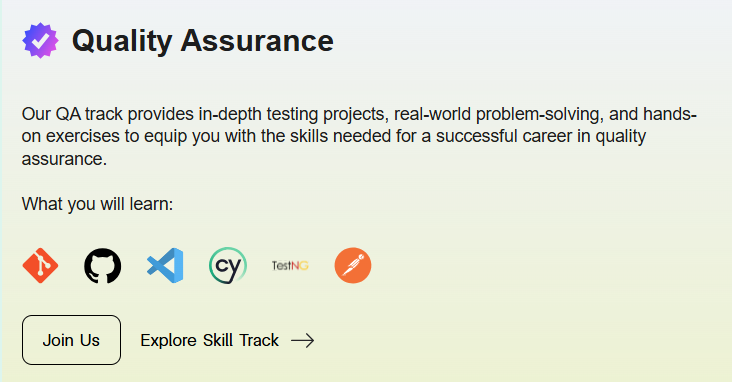
Testing isn't a standalone skill - it's woven into the entire software development lifecycle (SDLC). At Archi's Academy, the Quality Assurance track covers the full spectrum: manual testing fundamentals, test planning, automation with Cypress, advanced QA strategies, and the Software Testing Life Cycle (STLC).
Start with the Fundamentals
Before learning any automation tool, you need to understand testing principles: test case design, boundary testing, equivalence partitioning, defect logging, and the STLC.

Build Your QA Foundation
Learn manual testing, exploratory testing, test documentation, and bug tracking - the skills every QA engineer needs regardless of automation tools.
Learn Cypress Automation
Once you understand the fundamentals, learning Cypress gives you the ability to automate end-to-end tests for modern web applications.
Master Advanced QA Strategies
Go deeper into test design, performance testing, API testing, security testing, and building comprehensive test strategies for complex systems.

The Full QA Track
All of this - testing fundamentals, manual testing, automation, test strategy, and STLC - is integrated into the Quality Assurance track at Archi's Academy. It's project-based, so you're building real test suites for real applications, not just following along with tutorials.
Learn by Doing. Prove by Doing. Get Hired.
The Bottom Line: There's No Wrong Choice
Cypress vs Selenium isn't "one is better." It's "which fits your stack, your team, and your needs."
If you're a JavaScript team building a modern SPA, Cypress gives you speed, simplicity, and an incredible developer experience. If you're a polyglot team with diverse browsers to support, Selenium gives you flexibility, coverage, and a mature ecosystem.
The best QA engineers understand both. They know when Cypress's fast feedback loop helps during development, and when Selenium's cross-browser coverage matters before release. They know the tools are means to an end - and the end is shipping software that works.
Have questions about Cypress, Selenium, or where to start with test automation? The Archi's Academy team is here to help - reach out anytime.

Monday, May 17, 2021