



Software Development
Computer Software
Cloud Computing
What is Cloud Computing? All you need to know about it
Every app you deploy, every API you call, every database you query runs on someone else's computer. That computer is in a data center somewhere. Cloud computing is the infrastructure that makes all of modern software possible — and in 2026, every developer who builds for production needs to understand how it works.
What Is Cloud Computing?
Cloud computing is the on-demand delivery of computing resources — servers, storage, databases, networking, software, and more — over the internet, with pay-as-you-go pricing.
Instead of buying and maintaining physical hardware in your office or building a private data center, you access those resources from providers like AWS, Google Cloud, or Microsoft Azure and pay only for what you use.
The practical effect: a solo developer in 2026 can deploy a globally distributed application, scale it to millions of users, and pay nothing until it has traffic. That was impossible without cloud computing.
Why Every Developer Needs to Understand Cloud in 2026
Understanding cloud computing is no longer optional for developers. Here is why it matters at every level of seniority.
Deployment is cloud-native. Vercel, Railway, Render, Fly.io — every modern deployment platform runs on top of cloud infrastructure. When something breaks in production, you need to understand what layer failed.
Interviews test it. System design interviews at tech companies almost always involve cloud architecture decisions: when to use a managed database vs. a self-hosted one, how to design for horizontal scaling, what a CDN does and when to use it.
AI workloads require cloud scale. Training models, running inference at scale, and serving AI-powered APIs all require compute resources that only cloud providers can deliver cost-effectively.
Backend development is cloud development. Every backend track worth taking in 2026 will expect you to deploy to a cloud environment, configure environment variables, connect to a managed database, and understand how your application runs in production.
The Three Types of Cloud Deployment
Not all cloud setups are the same. The deployment model determines who owns the infrastructure, who manages it, and who shares it.
Public Cloud
The public cloud delivers computing services over the internet, shared across many customers. AWS, Google Cloud, and Azure are public cloud providers. You pay for what you use, the provider manages all the hardware, and resources are shared across thousands of customers (though isolated from each other).
Best for: startups, indie developers, most web applications, anything that needs global scale without upfront hardware investment.
Private Cloud
A private cloud is computing infrastructure dedicated to a single organisation. It can be hosted on-premises in the company's own data center or operated by a third party, but the resources are not shared.
Best for: organisations with strict regulatory compliance requirements, industries where data sovereignty is legally mandated (healthcare, banking), or enterprise teams with specific security policies.
Hybrid Cloud
Hybrid cloud combines public and private infrastructure, letting workloads move between them based on need. Sensitive data stays in the private environment; burst compute capacity uses the public cloud.
Best for: large organisations that need both the control of private infrastructure and the elasticity of the public cloud.
| Public Cloud | Private Cloud | Hybrid Cloud | |
|---|---|---|---|
| Who manages hardware | Provider | You / dedicated vendor | Both |
| Cost model | Pay-as-you-go | High upfront + fixed ops | Mixed |
| Scalability | Near-infinite, instant | Limited by hardware | Flexible |
| Security control | Provider-managed | Full control | Configurable |
| Best for | Most developers and startups | Regulated industries | Large enterprises |
The Three Cloud Service Models: IaaS, PaaS, SaaS
This is the classification that appears in every cloud certification and most technical interviews. Understanding what layer you are working at clarifies everything else.
IaaS — Infrastructure as a Service
IaaS gives you raw computing infrastructure: virtual machines, storage, and networking. You manage everything above the hardware level — the operating system, the runtime, the application, and all configurations.
You control: OS, runtime, middleware, applications, data
Provider controls: Virtualisation, servers, storage, networking
Examples: AWS EC2, Google Compute Engine, Azure Virtual Machines, DigitalOcean Droplets
Best for: teams that need full control over the environment, custom OS configurations, or are running legacy software that cannot move to a managed platform.
PaaS — Platform as a Service
PaaS handles the infrastructure and runtime for you. You bring your application code; the platform handles deployment, scaling, OS patching, and runtime management.
You control: Applications and data
Provider controls: Runtime, middleware, OS, and everything below
Examples: Heroku, Railway, Render, Google App Engine, AWS Elastic Beanstalk
Best for: developers who want to focus on code, not infrastructure. Most backend web applications fit here. This is where most junior and mid-level developers spend their time.
SaaS — Software as a Service
SaaS delivers fully built software over the internet. You use the application; you manage nothing.
You control: How you use the software
Provider controls: Everything
Examples: Gmail, Slack, Salesforce, Notion, GitHub, Vercel (the UI layer), Auth0
Best for: end users and businesses consuming tools, not building infrastructure.
| IaaS | PaaS | SaaS | |
|---|---|---|---|
| What you manage | OS, runtime, app, data | App and data only | Nothing technical |
| Flexibility | Maximum | Moderate | Minimal |
| Complexity | High | Low to Medium | None |
| Examples | EC2, DigitalOcean | Railway, Render, Heroku | Gmail, Slack, GitHub |
| Who it suits | DevOps engineers, infra teams | Backend developers | End users |
AWS vs Azure vs Google Cloud: What Developers Actually Need to Know
The three dominant public cloud providers each have hundreds of services. For developers building and deploying applications, the differences that matter are these.
| AWS | Google Cloud | Azure | |
|---|---|---|---|
| Market share | Largest (~32%) | Third (~11%) | Second (~22%) |
| Best known for | Broadest service range, S3 storage, Lambda | Data and AI/ML services, Kubernetes (GKE) | Enterprise integration, Microsoft ecosystem |
| Entry-level friendly | Steeper learning curve | Cleaner console, good free tier | Familiar for .NET developers |
| Free tier | 12 months + always-free services | Always-free tier + $300 credit | 12 months + always-free services |
| Certifications | AWS Certified (most recognised) | Google Cloud Professional | Azure Fundamentals |
For most beginners: start with AWS for the job market recognition, or Railway / Render as managed PaaS layers that abstract AWS underneath. Understanding one cloud provider's core concepts transfers directly to the others.
The Cloud Services Every Developer Actually Uses
Beyond the classification, these are the specific cloud services that appear in real backend projects.
Object Storage: AWS S3 (or compatible: Cloudflare R2, Google Cloud Storage). Stores files, images, videos, and backups. Every app that handles user uploads uses object storage.
Managed Databases: AWS RDS, Google Cloud SQL, PlanetScale, Supabase. A database you connect to without managing the server it runs on. Standard practice for production applications.
Serverless Functions: AWS Lambda, Cloudflare Workers, Vercel Edge Functions. Code that runs on demand without a persistent server. Ideal for API routes, webhooks, and background tasks.
CDN (Content Delivery Network): Cloudflare, AWS CloudFront. Caches static assets at edge locations globally so users load content from a server near them, not one continent away.
Authentication as a Service: Auth0, AWS Cognito, Clerk. Handles login, OAuth, JWT, and session management so you do not build it from scratch.
Container Orchestration: AWS ECS, Google Kubernetes Engine. Runs and scales containerised applications in production.
Cloud Computing and the Developer Career Path
Cloud skills are consistently among the most in-demand across backend, DevOps, and full stack job descriptions in 2026. Understanding cloud infrastructure is not just for DevOps engineers.
The developer who can build an API, deploy it to a cloud platform, connect it to a managed database, and configure environment variables and logging is immediately more employable than one who can only run things locally.
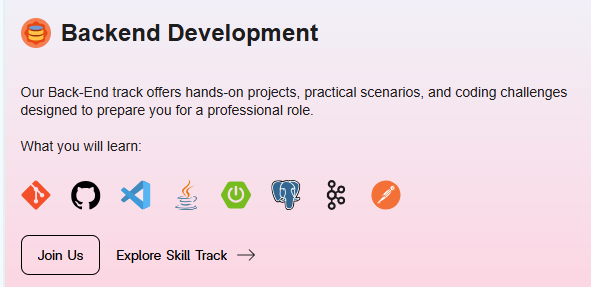
At Archi's Academy, the Backend Development track is built around the full lifecycle of backend engineering, including deployment to real cloud environments. You do not just build APIs locally — you deploy them, connect them to managed services, and work through the same workflow a junior backend developer uses on a real team.
The difference between knowing cloud concepts and having deployed a real application to the cloud is the difference between a tutorial and a portfolio project. That gap is what the work simulation model exists to close.
Pronto para transformar conhecimento em habilidades reais?
Comece a construir com formacao guiada por projetos e ganhe experiencia pratica desde o primeiro dia.
Start Building Real Backend Skills
Understanding what IaaS, PaaS, and SaaS mean is step one. Building an application that uses managed databases, deploys to a cloud platform, and handles real API traffic is step two.

Frequently Asked Questions
What is cloud computing in simple terms?
Cloud computing means accessing computing resources — servers, storage, databases, and software — over the internet instead of running them on hardware you own. Instead of buying a server, you rent capacity from a provider like AWS or Google Cloud and pay only for what you use. The practical effect is that any developer can deploy globally scalable applications without owning any physical infrastructure.
What are the three types of cloud computing services?
The three cloud service models are IaaS (Infrastructure as a Service), PaaS (Platform as a Service), and SaaS (Software as a Service). IaaS gives you raw virtual machines and storage to manage yourself. PaaS handles the infrastructure for you so you focus on your application code. SaaS delivers fully built software you use without managing anything technical.
What is the difference between public, private, and hybrid cloud?
Public cloud is shared infrastructure delivered over the internet by providers like AWS, used by most developers and startups. Private cloud is dedicated infrastructure for a single organisation, used by enterprises with strict compliance or security requirements. Hybrid cloud combines both, allowing workloads to move between environments based on business and technical needs.
Which cloud provider should a developer learn first?
AWS has the broadest service range and highest job market demand, making it the most practical starting point for most developers. Google Cloud has strong advantages for AI and data workloads. Azure is dominant in enterprises running Microsoft technology. For deploying actual projects as a beginner, managed PaaS platforms like Railway or Render abstract the complexity and run on top of the major cloud providers.
Is cloud computing a required skill for backend developers?
In 2026, yes. Modern backend development assumes cloud deployment. Production applications run on managed databases, serverless functions, object storage, and CDNs — all cloud services. Backend developers who can only run applications locally are not production-ready. System design interviews at tech companies test cloud architecture knowledge directly.
What cloud services do most backend applications use?
Most production backend applications use object storage (AWS S3 or compatible) for files, a managed database (RDS, PlanetScale, Supabase) instead of a self-hosted one, a CDN for static assets, environment-based configuration, and a PaaS platform for deployment. Serverless functions are increasingly common for webhook handlers, background jobs, and lightweight API routes.
How does Archi's Academy cover cloud computing?
The Backend Development track at Archi's Academy includes real deployment as part of the project simulation model. You deploy applications to cloud environments, connect to managed services, and work through the full backend lifecycle the same way a junior developer does on a real team, not just local development. Start with a free 1-week trial.
Learn by Doing. Prove by Doing. Get Hired.
Questions about cloud computing, backend development, or which track fits your goals? The Archi's Academy team works with developers at every level — reach out anytime.

Çarşamba, Tem 13, 2022