



Computer Science
Cyber Security
Authentication & Authorization
Authentication & Authorization in 2026: The Security Foundation Every Application Must Get Right
Every breach you've ever read about started with someone getting past authentication. Every data leak started with broken authorization. These aren't optional features - they're the difference between secure and compromised.
The Question Every App Eventually Asks
You're building an application. Users can sign up, log in, and access their data. Everything works. Then the product team asks: "Can we add admin users who can see everyone's data?" And then: "What about moderators who can only edit content, not delete it?" And then: "How do we let users log in with Google?" And then: "An enterprise customer needs SSO integration with their Active Directory."
Suddenly, you're not just checking if someone knows a password. You're managing identity (who someone is), authentication (proving they are who they claim to be), and authorization (what they're allowed to do once they're in). And if you get any of this wrong - if an attacker can bypass login, if a regular user can access admin endpoints, if tokens leak - you're looking at a security incident.
This is why authentication and authorization aren't features you bolt on later. They're the foundation you build on from day one. And in 2026, with frameworks like Auth0 and open-source platforms like Keycloak, you don't have to build this from scratch - but you do have to understand how it works.
Authentication: Proving Who You Are
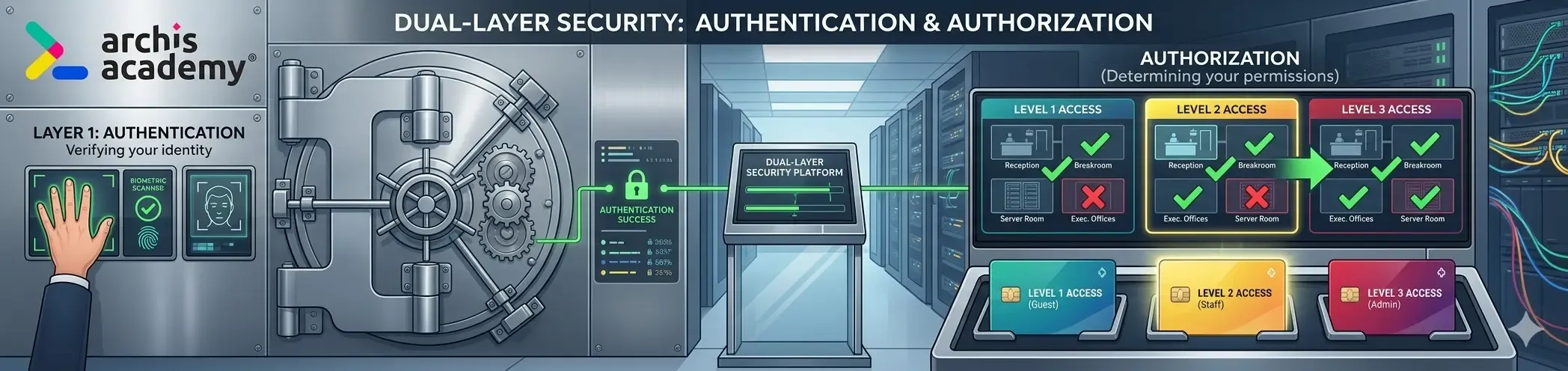
Authentication is the process of verifying identity. It answers the question: "Are you who you say you are?"
When you enter your password to log into your laptop, you're authenticating. When you scan your fingerprint to unlock your phone, you're authenticating. When you enter a one-time code from an authenticator app, you're authenticating. The system is checking that you possess something (a password, a biometric, a device) that proves you are the legitimate user.
Why Authentication Matters
Without authentication, anyone could claim to be anyone. An attacker could type your username into a login form and immediately access your account. Authentication creates the barrier between public access and private data.
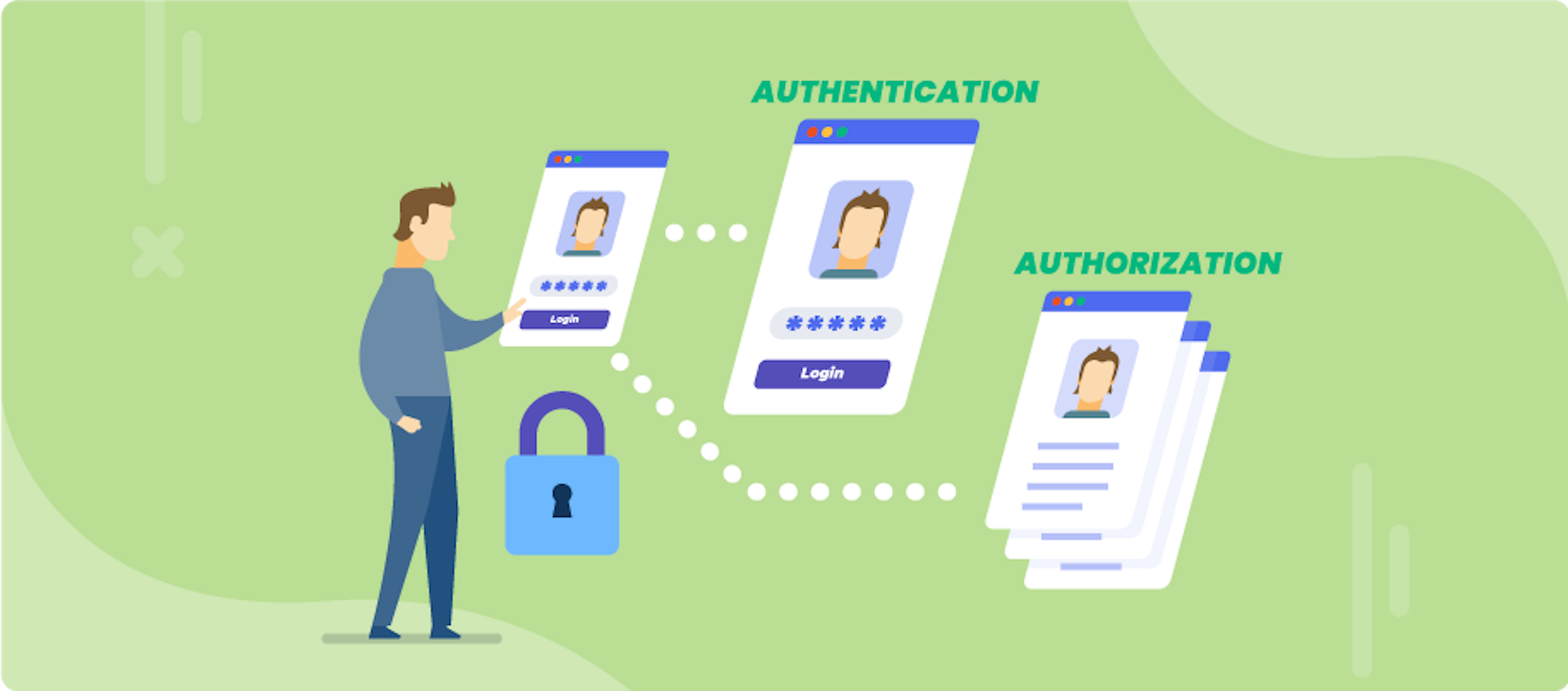
But here's the critical insight: authentication alone isn't enough. Just because you've proven who you are doesn't mean you should have access to everything. That's where authorization comes in.
Common Authentication Methods in 2026
Password-based authentication - Still the most common. The user provides a username and password, the server hashes the password and compares it to the stored hash.
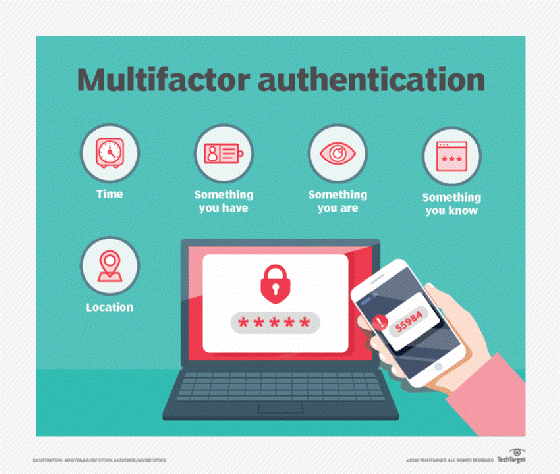
Multi-Factor Authentication (MFA) - Requires two or more verification factors: something you know (password), something you have (phone, hardware token), or something you are (fingerprint, face scan). This is now the standard for any serious application.
Social login (OAuth 2.0) - "Sign in with Google," "Sign in with GitHub," "Sign in with Apple." The user authenticates with a trusted third party, which then tells your app "yes, this is Alice."
Single Sign-On (SSO) - Log in once, access multiple applications. Common in enterprise environments where employees use dozens of internal tools. SAML and OpenID Connect (OIDC) are the standard protocols.
Passwordless authentication - Magic links sent via email, WebAuthn (hardware keys like YubiKey), biometric login. Growing in adoption because passwords are both weak and annoying.
Authorization: Controlling What You Can Do
Authorization is the process of determining access rights. It answers the question: "What are you allowed to do?"
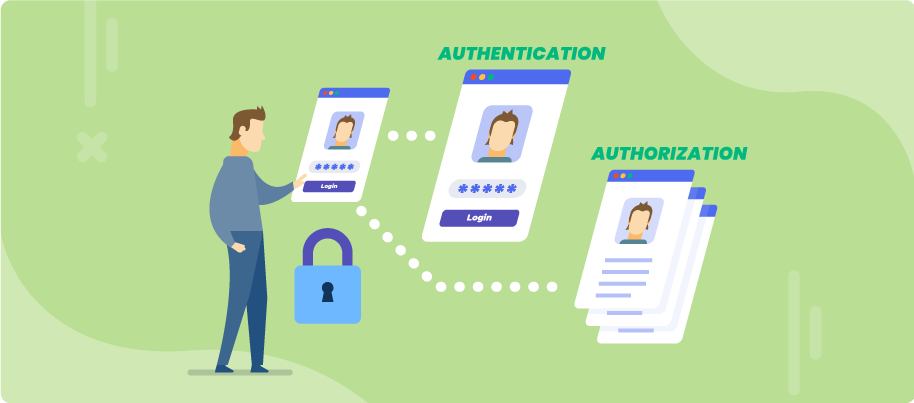
Authentication gets you in the door. Authorization decides which rooms you can enter once you're inside.
Example: A Blog Platform
- Anonymous users can read published posts (no authentication required)
- Logged-in users can comment on posts (authentication required, minimal authorization)
- Authors can create and edit their own posts (authorization based on role)
- Moderators can edit and delete any post (higher authorization level)
- Admins can manage users, change site settings, and access analytics (full authorization)
Every API endpoint enforces authorization: "This user is authenticated, but do they have permission to perform this action on this resource?"
Authorization Models
Role-Based Access Control (RBAC) - Users are assigned roles (admin, moderator, user). Each role has a set of permissions. Example: "Admins can delete users. Moderators cannot."
Attribute-Based Access Control (ABAC) - Access is determined by attributes - user attributes (department, clearance level), resource attributes (sensitivity, owner), and environmental attributes (time of day, IP address). More flexible but more complex.
Ownership-based authorization - Users can only modify resources they own. Example: "Alice can edit her own posts but not Bob's posts."
In practice, most applications use a combination of these models.
Authentication Protocols That Power the Modern Web
These protocols define how authentication happens securely across networks.
OAuth 2.0
The industry standard for authorization. OAuth lets third-party applications access a user's data without ever seeing their password. When you click "Sign in with Google," OAuth is what's happening under the hood. Google authenticates you, then issues a token to the app saying "this person is authenticated and has granted you access to their email address."
OpenID Connect (OIDC)
Built on top of OAuth 2.0, OIDC adds identity information. OAuth handles authorization ("what you can access"), OIDC handles authentication ("who you are"). Together, they power most modern Single Sign-On (SSO) systems.
SAML (Security Assertion Markup Language)
The older, enterprise-focused standard for SSO. Still widely used in corporate environments for integrating with Active Directory and other legacy identity providers. More complex than OIDC but deeply entrenched in enterprise infrastructure.
JSON Web Tokens (JWT)
Not a protocol, but a token format. JWTs are compact, URL-safe tokens that contain claims (pieces of information about the user). After authentication, the server issues a JWT. The client includes it in every subsequent request. The server validates the JWT's signature to confirm it's legitimate and hasn't been tampered with.
Example JWT payload:
{
  "sub": "1234567890",
  "name": "Alice",
  "role": "admin",
  "exp": 1735689600
}
The
exp field is the expiration timestamp. After that time, the token is invalid.Kerberos
A network authentication protocol designed for secure authentication over insecure networks. Primarily used in enterprise environments, especially with Active Directory.
RADIUS & TACACS
Used for network access control - authenticating users connecting to VPNs, Wi-Fi networks, and network devices. Less relevant for web applications but critical for infrastructure security.
The HTTP Authorization Header: How APIs Verify Identity
When your frontend app (React, mobile app, etc.) talks to your backend API, every request that requires authentication includes an Authorization header.
Here's how it works:
Step 1: User logs in
POST /auth/login
{
  "email": "[email protected]",
  "password": "SecurePassword123"
}
Step 2: Server validates credentials and returns a token
{
  "token": "eyJhbGciOiJIUzI1NiIsInR5cCI6IkpXVCJ9..."
}
Step 3: Client includes the token in every subsequent request
GET /api/posts
Authorization: Bearer eyJhbGciOiJIUzI1NiIsInR5cCI6IkpXVCJ9...
Step 4: Server validates the token
If the token is valid and not expired, the server processes the request. If invalid, it returns
401 Unauthorized.This pattern - token-based authentication - is the foundation of modern API security. It's stateless (the server doesn't need to store session data), scalable (tokens can be validated by any server in a cluster), and secure when implemented correctly.
Common Authentication & Authorization Mistakes
Storing passwords in plaintext. Catastrophic security failure. Passwords must be hashed using bcrypt, Argon2, or PBKDF2 before storage. Never reversible encryption, never MD5 or SHA-1.
Not implementing rate limiting. Without rate limiting, attackers can attempt thousands of login attempts per second (brute-force attacks). Limit failed login attempts and temporarily lock accounts after multiple failures.
Using weak or predictable tokens. Session IDs and JWTs must be cryptographically secure random values. Never use sequential IDs, timestamps, or anything an attacker could predict.
Not validating JWTs properly. A JWT's signature must be verified. The expiration claim must be checked. The issuer must be validated. Skipping any of these steps means accepting forged tokens.
Exposing admin endpoints without proper authorization. Just because an endpoint requires authentication doesn't mean every authenticated user should access it.
GET /admin/users should check if the requester has the admin role.Trusting client-side authorization. Never hide admin buttons with JavaScript and assume that's enough. Authorization must be enforced on the server. Attackers can bypass client-side checks trivially.
Learning Authentication & Authorization Properly
Understanding these concepts theoretically is one thing. Implementing them in real applications - configuring OAuth flows, validating JWTs in your backend, setting up role-based access control, integrating with third-party identity providers - is where the learning actually happens.
At Archi's Academy, authentication and authorization are woven into the Backend Development track - because you can't build production-grade APIs without securing them properly.
Start with Auth0
Auth0 is a complete authentication and authorization platform. Instead of building auth from scratch, you configure Auth0 to handle login, social sign-on, MFA, and user management - then integrate your app with it.
The Comprehensive Auth0 course walks you through:
- Registering a tenant and configuring authentication flows
- Implementing social login (Google, GitHub, etc.)
- Setting up Multi-Factor Authentication (MFA)
- Using Rules, Actions, and Hooks to customize behavior
- Building custom login UIs
- Managing roles and permissions
Go Deeper with Keycloak
If you want to understand open-source identity and access management, Keycloak is the industry-standard choice. It's free, self-hosted, and used by enterprises globally. Learning Keycloak means understanding how authentication infrastructure works at the deepest level.
Read our comprehensive guide:
Why This Matters for Your Career
Authentication and authorization are not niche topics. They're foundational to every application that handles user data. You can't build a SaaS product without user accounts. You can't build an e-commerce platform without secure payment flows. You can't build internal tools without SSO integration.
Employers expect backend developers to understand:
- How OAuth and OIDC work
- How to validate JWTs securely
- How to implement role-based access control
- How to integrate with identity providers (Auth0, Keycloak, Okta, Azure AD)
- How to secure API endpoints properly
These aren't advanced topics. They're table stakes.
Learn by Doing. Prove by Doing. Get Hired.
Have questions about authentication, authorization, or securing your applications? The Archi's Academy team is here to help - reach out anytime.

Çarşamba, Ara 8, 2021