




Software Development
Coding
AI
Cursor AI
Cursor in 2026: The AI Code Editor That's Redefining How Developers Actually Work
You don't write code the same way anymore. You describe what you want, the AI writes it, you review and refine. Welcome to the era of AI-assisted development - and Cursor is the tool leading it.
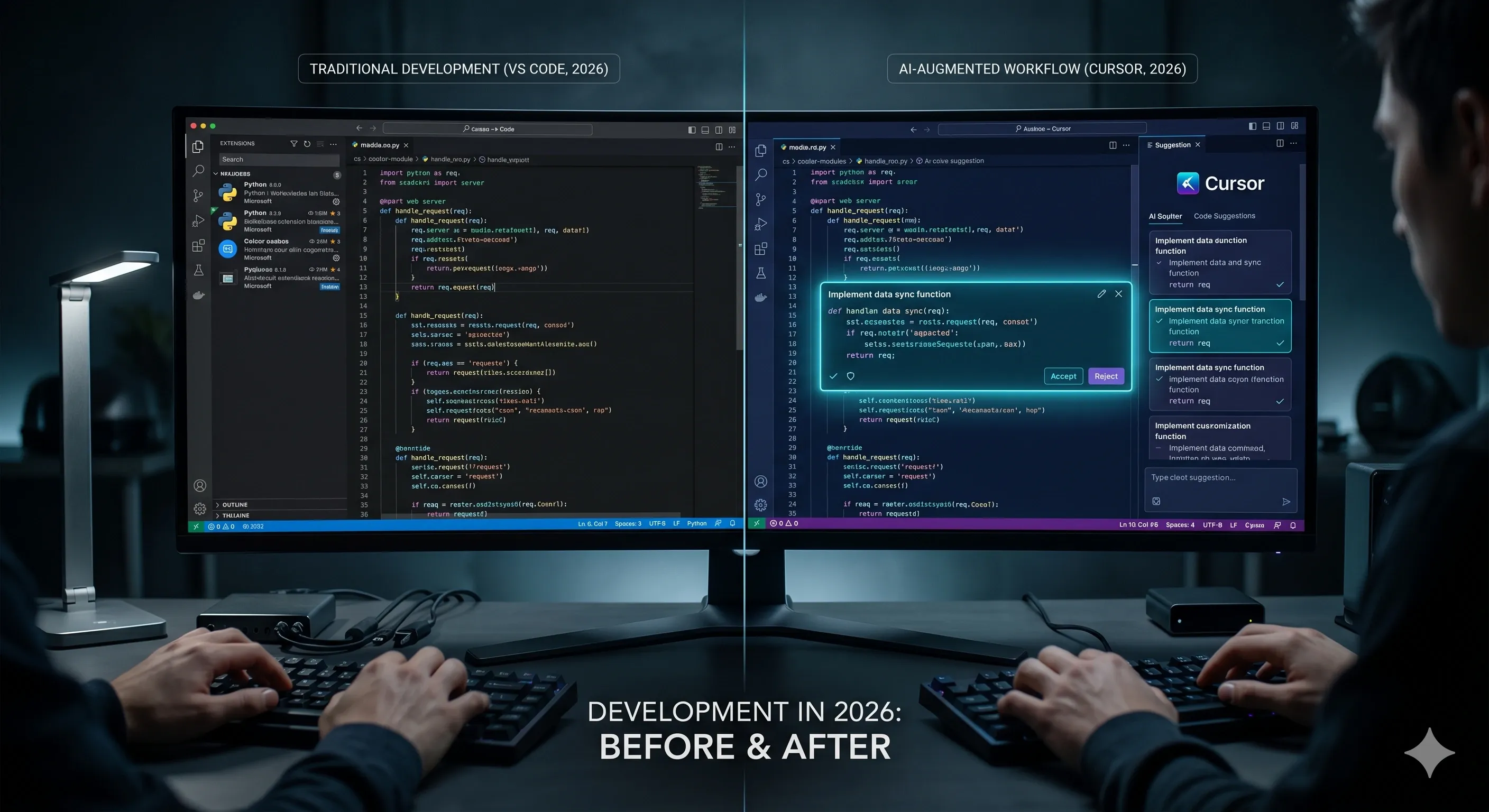
The Shift Nobody Saw Coming (But Everyone's Living Through)
Two years ago, if you told a senior developer that by 2026 they'd be writing 60% less code by hand because an AI was writing it for them, they'd have laughed. "AI can't understand context. It can't debug complex systems. It can't architect solutions."
Today, that same developer is using Cursor to generate entire API routes from a comment, refactor legacy code with a single prompt, debug errors by describing the symptoms in plain English, and implement features in hours that used to take days.
What changed? The AI didn't just get better at autocomplete. It learned to understand your entire codebase - every file, every function, every pattern you've established - and generate code that fits seamlessly into what you've already built. It learned to collaborate with you, not just assist you.
Cursor isn't a plugin. It's not a chatbot bolted onto an editor. It's a complete reimagining of the development environment built from the ground up around one principle: the fastest way to write code is to not write it at all - but to describe it, review it, and refine it.
And in 2026, this isn't experimental. This is how modern development works.
What Cursor Actually Is
Cursor is an AI-native code editor - a fork of VS Code rebuilt entirely around AI-powered workflows. It looks like VS Code, feels like VS Code, and uses the same extensions as VS Code. But under the hood, it's connected to state-of-the-art AI models (GPT-4, Claude Sonnet, and custom models) that understand code at a level that fundamentally changes how you work.
The Core Features That Make Cursor Different
1. Codebase-Aware AI
Cursor indexes your entire project - every file, every dependency, every API contract - and uses that context when generating code. When you ask it to "add authentication to the user registration endpoint," it knows what your database schema looks like, what your existing auth middleware does, and what naming conventions you've established. The code it generates fits your project, not some generic template.
2. Tab to Autocomplete (But Actually Useful)
Traditional autocomplete suggests method names and variable names. Cursor's autocomplete predicts entire functions. You type a comment explaining what a function should do, press Tab, and Cursor writes the implementation. You type the start of a conditional, press Tab, and Cursor completes the entire logic block based on the surrounding context.
3. Cmd+K: Inline Editing
Highlight a block of code, press Cmd+K (or Ctrl+K on Windows), and type an instruction: "add error handling," "convert this to async/await," "add TypeScript types," "optimize this query." Cursor edits the code inline, preserving your style and patterns.
4. Chat with Your Codebase
Open the chat panel and ask questions: "Where is user authentication handled?" "Why is this function running slowly?" "What files would I need to change to add a new payment method?" Cursor answers by scanning your codebase and citing specific files and line numbers.
5. Composer Mode (Multi-File Editing)
The feature that changed everything in late 2025. Instead of editing one file at a time, you describe a feature - "Add a comment system with user mentions and notifications" - and Cursor generates or modifies multiple files simultaneously. It creates the database migration, updates the backend API, builds the frontend component, and wires them together. You review the diff, approve or refine, and ship.
6. Terminal Integration
Run a command, get an error, and Cursor analyzes the error message, finds the issue in your code, and suggests the fix - all without you leaving the terminal panel.
Why Cursor Matters in 2026
Let's be honest: developers were skeptical when AI code generation first emerged. "It writes buggy code." "It doesn't understand context." "It's just fancy autocomplete."
All of that was true - in 2022. By 2026, the gap between skepticism and reality has collapsed.
Speed: Features That Took Days Now Take Hours
A real example from a team using Cursor:
Before Cursor: Implementing OAuth login with Google and GitHub took 2-3 days. Set up the OAuth apps, write the redirect handlers, manage the token exchange, integrate with the database, handle edge cases, write tests.
With Cursor: Same feature implemented in 4 hours. The developer described the flow in Composer Mode, Cursor generated the routes, the database schema, the frontend OAuth buttons, and the token management logic. The developer reviewed, fixed two edge cases Cursor missed, added tests, and shipped.
That's not a hypothetical. That's the actual development velocity gain teams are seeing.
Context: The AI Understands Your Project
Earlier AI tools felt like assistants who joined the team yesterday. They didn't know your architecture, your naming conventions, or your patterns. Every suggestion required heavy editing.
Cursor feels like an assistant who's been on the team for months. It knows your codebase because it's read every file. It suggests code that looks like your code, not Stack Overflow snippets pasted in.
Debugging: Describe the Bug, Get the Fix
Instead of reading stack traces and
console.log debugging for hours, you describe the symptoms to Cursor: "The API returns 500 when the request body is empty." Cursor scans the relevant routes, identifies that the validation middleware isn't checking for empty bodies, and suggests the fix.This doesn't eliminate debugging - but it compresses hours into minutes.
Learning: Junior Developers Level Up Faster
A junior developer doesn't know how to implement rate limiting. They could Google it, read documentation, piece together a solution over several hours.
Or they ask Cursor: "Add rate limiting to the /api/login endpoint using Redis." Cursor generates the implementation. The junior dev reads the code, understands the pattern, and learns how rate limiting actually works by reviewing production-quality code rather than stitching together blog posts.
Cursor doesn't replace learning - it accelerates it.
How to Actually Use Cursor (The Workflow)
Here's how modern developers work with Cursor in 2026:
1. Start with Intent, Not Implementation
Old way: Open a file, think through the logic, write the code line by line.
New way: Write a comment describing what you need:
// Create an Express middleware that validates JWT tokens,
// checks if the user has admin role, and attaches user data to req.user
Press Tab. Cursor writes the middleware. You review it, tweak the error messages, approve.
2. Use Composer for Features Spanning Multiple Files
Instead of bouncing between files manually, open Composer, describe the feature:
"Add a notification system: when a user gets mentioned in a comment, create a notification record in the database and send them an email. Use the existing email service and database schema."
Cursor generates:
- Database migration for the
notificationstable - Backend API route for fetching notifications
- Function to create notifications when mentions are detected
- Email template and sending logic
- Frontend component to display notifications
- Updates to the comment creation flow
You review the diff across all files, request changes ("make the email template more concise"), approve, and it's done.
3. Chat for Exploration and Debugging
You're onboarding to a new codebase. Instead of grep-ing through files for hours:
"Where is user authentication handled?"
Cursor: "Authentication is handled in
src/middleware/auth.js. JWT validation uses jsonwebtoken library. User data is attached to req.user. Here's the code...""Why is the /api/users endpoint returning duplicate records?"
Cursor scans the route, identifies the SQL query is missing a
DISTINCT clause, and suggests the fix with the exact line number.4. Cmd+K for Quick Refactors
You have a function that's grown messy. Highlight it, press Cmd+K:
"Split this into smaller functions and add error handling"
Cursor refactors it inline. You review, approve. 30 seconds instead of 30 minutes.
Cursor 3.0 in 2026: What's New
The Cursor 3.0 release in late 2025 brought features that cemented its position as the dominant AI code editor:
Agent Mode - Cursor can now execute tasks autonomously. You assign it a task ("Find and fix all accessibility violations in the React components"), and it scans the codebase, identifies issues, generates fixes, and opens a PR for review. It's not fully autonomous - you review and approve - but the labor of finding and fixing is offloaded.
MCP (Model Context Protocol) Integration - Cursor now connects to external data sources through MCP servers. This means Cursor can query your company's internal docs, pull data from your issue tracker (Jira, Linear), read API documentation from third-party services, and use all of that context when generating code. The AI isn't just aware of your codebase - it's aware of your entire development ecosystem.
Multi-Model Support - You can switch between GPT-4o, Claude Sonnet 4.5, and other models depending on the task. Some models are better at creative problem-solving, others at factual code generation. You pick the right tool for the job.
Privacy Mode - Cursor can run entirely locally using models like Llama 3.3 70B or Qwen 2.5 Coder. No code leaves your machine. Critical for teams with strict IP policies or working in regulated industries.
Custom Rules - You define project-specific instructions: "Always use Tailwind utility classes, never inline styles." "Use Zod for validation in all API routes." "Follow the repository's existing error handling patterns." Cursor applies these rules to every suggestion.
Who Should Use Cursor (And Who Shouldn't)
You Should Use Cursor If:
You're a solo developer or small team - Cursor multiplies your output. Tasks that required a team of three can now be handled by one developer with Cursor.
You're building fast - Startups, MVP sprints, hackathons. Cursor lets you ship features at a pace that wasn't possible before.
You're learning to code - Cursor teaches by example. You describe what you want, it shows you how to implement it, and you learn by reading and refining production-quality code.
You're refactoring legacy code - Cursor excels at understanding messy codebases and systematically cleaning them up.
You're working in JavaScript/TypeScript, Python, or Go - Cursor's AI models are strongest in these languages (though they support many others).
You Might Not Need Cursor If:
You're working in highly specialized domains - Embedded systems, kernel development, or esoteric languages where training data is sparse. Cursor's suggestions will be less accurate.
Your company prohibits AI code tools - Some enterprises ban tools that send code to external APIs. Cursor's Privacy Mode helps, but check your policies first.
You prefer traditional workflows - If you find AI suggestions distracting rather than helpful, traditional editors like Neovim or IntelliJ might suit you better.
Learning to Work with Cursor
Cursor isn't just a tool you install - it's a workflow shift. You go from writing every line to describing intent, reviewing generated code, and iterating. The skill isn't "how do I write this function" - it's "how do I describe what I need clearly enough that the AI generates the right implementation."
At Archi's Academy, we have two comprehensive courses on mastering Cursor in 2026:
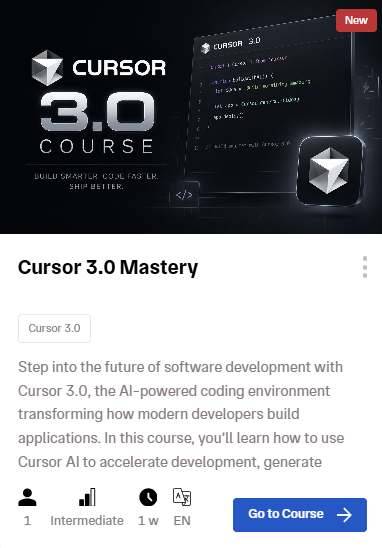
Cursor 3.0 Mastery
Step into the future of software development with Cursor 3.0. This course teaches you how to use Cursor's AI to accelerate development, generate production-quality code, and build applications faster than you thought possible.
AI-Powered Development with Cursor
Learn how to use AI-assisted workflows for code generation, debugging, refactoring, backend development, frontend workflows, Cursor Agents, MCP integration, and real-world software engineering practices.

Cursor Fits Into Every Development Track
Whether you're focused on frontend or backend, Cursor accelerates your work at every layer of the stack.
Frontend developers use Cursor to generate React components, write Tailwind styles, implement complex state management, and build responsive layouts faster.
Backend developers use Cursor to scaffold APIs, write database queries, implement authentication, and build microservices with far less boilerplate.
Both tracks at Archi's Academy now integrate Cursor workflows, because in 2026, AI-assisted development isn't a separate skill - it's how development is done.

The Honest Truth About AI-Assisted Development
Cursor won't replace developers. But developers who use Cursor will replace developers who don't.
The skill gap isn't "can you write code" anymore. It's "can you architect solutions, describe intent clearly, review AI-generated code critically, and ship fast."
If you're still writing every line by hand when a tool like Cursor exists, you're working slower than you need to. If you're letting AI write code you don't understand and shipping it blindly, you're building technical debt at AI speed.
The sweet spot - and this is what modern development looks like - is collaboration. You bring the architecture, the domain knowledge, the judgment. Cursor brings the speed, the boilerplate elimination, the pattern recognition across your codebase. Together, you build faster and better than either could alone.
Learn by Doing. Prove by Doing. Get Hired.
Have questions about Cursor, AI-powered development, or how to integrate AI tools into your workflow? The Archi's Academy team is here to help - reach out anytime.

Pazartesi, May 11, 2026