



Software Development
Coding
How to Set and Use Environment Variables in Node.js: A Practical Guide
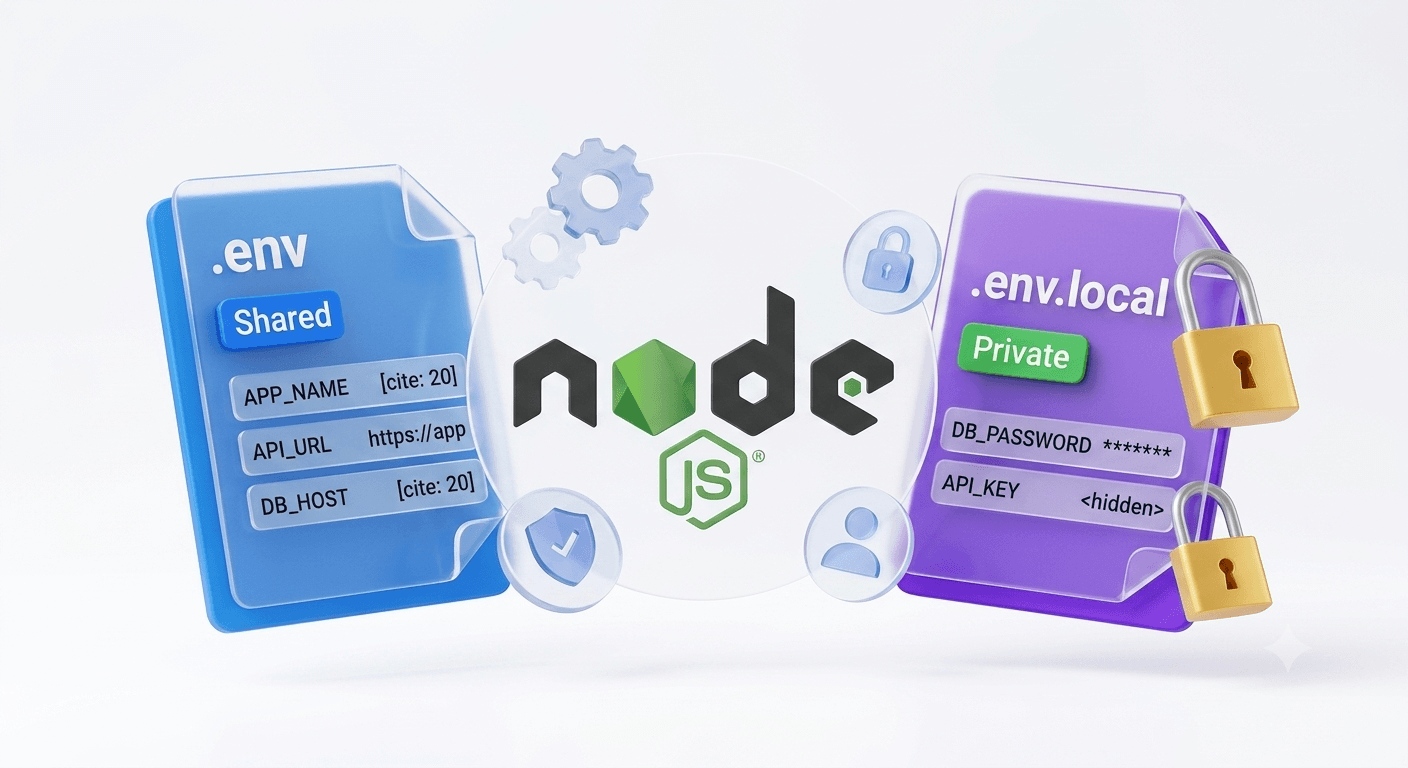
Hardcoding database credentials, API keys, and secrets into your source code is how breaches happen. Environment variables are how production applications safely manage sensitive data - let's do this right.
Why Environment Variables Matter
You're building a Node.js application. Your code needs a database password, an API key from a third-party service, and configuration that changes between development and production environments.
You have three choices:
-
Hardcode everything - Database password in
config.js, API key in a comment, secrets committed to git. This is how you get hacked. Don't do this. -
Environment variables - Keep sensitive data separate from code. Different values for dev, staging, and production. Secure, scalable, and industry-standard.
-
Use a secrets manager - AWS Secrets Manager, HashiCorp Vault, etc. The enterprise approach for large systems.
For most development and smaller applications, environment variables with dotenv is the right answer.
What Environment Variables Actually Are
Environment variables are values set at the operating system level that your application can access at runtime.
When you set an environment variable:
DB_PASSWORD=supersecret123
API_KEY=abc123xyz789
NODE_ENV=production
Your application can access these values without them being stored in code:
const password = process.env.DB_PASSWORD;  // "supersecret123"
const apiKey = process.env.API_KEY;        // "abc123xyz789"
const env = process.env.NODE_ENV;          // "production"
The operating system injects these into
process.env - a global JavaScript object in Node.js - at runtime.Why This Matters
Security: Secrets never appear in your source code or git history. If your repository is public, your secrets aren't exposed.
Configuration Management: Different environments (dev, staging, production) can have different values without changing code.
Deployment Flexibility: Deploy the same code to different servers - they'll have different environment variables set, and the app adapts automatically.
The Problem: Manually Setting Variables Is Tedious
Setting environment variables manually for every developer and every deployment is painful.
On macOS/Linux:
export DB_HOST=localhost
export DB_PASSWORD=mypassword
export API_KEY=key123
On Windows (PowerShell):
$env:DB_HOST="localhost"
$env:DB_PASSWORD="mypassword"
$env:API_KEY="key123"
Every developer on your team has to do this. Every CI/CD deployment has to do this. It's error-prone and tedious.
This is where
dotenv comes in.Using Dotenv: The Easy Way
Dotenv is a Node.js library that loads environment variables from a
.env file into process.env automatically.Step 1: Install Dotenv
npm install dotenv
or with Yarn:
yarn add dotenv
Step 2: Create a .env File
Create a
.env file in your project root:DB_HOST=localhost
DB_PORT=5432
DB_USER=admin
DB_PASSWORD=mysecurepassword
API_KEY=abc123xyz789
NODE_ENV=development
JWT_SECRET=your-jwt-secret-key
LOG_LEVEL=info
Step 3: Load Environment Variables in Your App
At the very start of your application (before any other code that uses these variables), require and configure dotenv:
// app.js or server.js - FIRST LINE
require('dotenv').config();

// NOW you can use process.env
const express = require('express');
const app = express();

const dbHost = process.env.DB_HOST;
const dbPort = process.env.DB_PORT;
const apiKey = process.env.API_KEY;

console.log(`Connecting to database at ${dbHost}:${dbPort}`);
app.listen(3000);
Critical: Call
require('dotenv').config() before any other requires that might need environment variables.Step 4: Add .env to .gitignore
NEVER commit
.env files to git. Your secrets will be exposed.# .gitignore
.env
.env.local
.env.*.local
Step 5: Share a Template (Without Secrets)
Create
.env.example with the same keys but placeholder values:# .env.example - Commit this, not .env
DB_HOST=localhost
DB_PORT=5432
DB_USER=admin
DB_PASSWORD=change_me
API_KEY=change_me
NODE_ENV=development
JWT_SECRET=change_me
LOG_LEVEL=info
Other developers copy this file and fill in real values locally:
cp .env.example .env
# Then edit .env with real values
Practical Example: Express API with Environment Variables
Here's a real-world example using Express.js:
// server.js
require('dotenv').config();

const express = require('express');
const postgres = require('pg');

const app = express();

// Read configuration from environment
const config = {
  db: {
    host: process.env.DB_HOST,
    port: process.env.DB_PORT,
    user: process.env.DB_USER,
    password: process.env.DB_PASSWORD,
    database: process.env.DB_NAME
  },
  api: {
    port: process.env.PORT || 3000,
    apiKey: process.env.API_KEY,
    jwtSecret: process.env.JWT_SECRET
  },
  env: process.env.NODE_ENV || 'development'
};

// Validate required variables
if (!config.api.apiKey) {
  throw new Error('API_KEY environment variable is required');
}

// Connect to database
const pool = new postgres.Pool(config.db);

// Routes
app.get('/api/users', (req, res) => {
  const authHeader = req.headers.authorization;
  const token = authHeader?.split(' ')[1];

  // Verify token using JWT_SECRET
  if (!token) {
    return res.status(401).json({ error: 'Unauthorized' });
  }

  // Query database using connection pool
  pool.query('SELECT * FROM users', (err, result) => {
    if (err) throw err;
    res.json(result.rows);
  });
});

// Start server
const port = config.api.port;
app.listen(port, () => {
  console.log(`Server running on port ${port} in ${config.env} mode`);
});
With this setup:
- Database credentials come from
.env - API keys and secrets are environment variables
- The same code runs in dev, staging, and production with different
.envfiles - Nothing sensitive is in your git repository
Best Practices for Environment Variables
1. Validate Required Variables at Startup
Don't wait until your code tries to connect to a database to realize
DB_PASSWORD is missing.require('dotenv').config();
const required = ['DB_HOST', 'DB_USER', 'DB_PASSWORD', 'API_KEY'];
const missing = required.filter(key => !process.env[key]);
if (missing.length > 0) {
throw new Error(`Missing required environment variables: ${missing.join(', ')}`);
}
2. Use a Config Object
Instead of accessing
process.env.XYZ scattered throughout your code, create a centralized config:// config.js
require('dotenv').config();
module.exports = {
database: {
host: process.env.DB_HOST,
port: process.env.DB_PORT,
user: process.env.DB_USER,
password: process.env.DB_PASSWORD
},
api: {
key: process.env.API_KEY,
jwtSecret: process.env.JWT_SECRET
},
app: {
port: process.env.PORT || 3000,
environment: process.env.NODE_ENV || 'development'
}
};
// Then use it
const config = require('./config');
console.log(config.database.host);
3. Use Different .env Files for Different Environments
.env                 # Default/development
.env.production      # Production-specific overrides
.env.test            # Test environment
Load the appropriate file:
const envFile = process.env.NODE_ENV === 'production'
  ? '.env.production'
  : '.env';

require('dotenv').config({ path: envFile });
4. Prefix Related Variables
Group related variables with prefixes for clarity:
# Database
DB_HOST=localhost
DB_PORT=5432
DB_USER=admin

# Redis
REDIS_HOST=localhost
REDIS_PORT=6379

# Third-party services
STRIPE_API_KEY=sk_...
SENDGRID_API_KEY=SG....
5. Document What Each Variable Does
In
.env.example, add comments:# Database connection
DB_HOST=localhost # PostgreSQL host
DB_PORT=5432 # PostgreSQL port
DB_USER=admin # Database username
DB_PASSWORD=change_me # Database password
# API Configuration
API_KEY=change_me # Third-party API key
JWT_SECRET=change_me # Secret for signing JWTs
# Application
PORT=3000 # Express server port
NODE_ENV=development # Environment (development/staging/production)
Dotenv Alternatives for Production
For development and small applications, dotenv is perfect. For larger applications and production deployments, consider:
AWS Secrets Manager
Store secrets in AWS and retrieve them at runtime. More secure for cloud deployments.
HashiCorp Vault
Enterprise-grade secrets management. Rotation, auditing, and fine-grained access control.
Environment Variables in CI/CD
GitHub Actions, GitLab CI, CircleCI - all let you set environment variables directly in the pipeline. No
.env file needed.Kubernetes Secrets
If running in Kubernetes, use Secrets and ConfigMaps to manage configuration.
For learning and development with Node.js at Archi's Academy, dotenv is the standard approach.
Learning Node.js Properly
Environment variables are just one piece of building production Node.js applications. Understanding how to configure, deploy, and manage Node.js APIs is what separates developers who can write code from developers who can ship applications.
At Archi's Academy, the Backend Development track teaches you not just how to write Node.js code, but how to deploy, configure, and scale it in production environments.
Learn by Doing. Prove by Doing. Get Hired.
The Bottom Line: Keep Secrets Secret
Hardcoding secrets into your source code is a security liability. Environment variables are the industry-standard way to manage sensitive configuration. Master this pattern early, and you'll never have a breach because of exposed credentials.
Start with dotenv for development. Understand the pattern. Then scale to secrets managers as your application grows.
Have questions about environment variables, Node.js configuration, or backend development best practices? The Archi's Academy team is here to help - reach out anytime.

Perşembe, Haz 3, 2021