




Software Development
Artificial Intelligence
Technology
Automation
Front end
How to Use Claude Code in 2026: The Complete Developer Guide
TL;DR: Claude Code is Anthropic's terminal-native AI coding agent that reads your entire codebase, plans across multiple files, writes and runs code, and iterates on failures autonomously — without you touching a line. It's not an autocomplete tool. It's closer to a junior developer that never sleeps. In 2026, it's become the go-to AI coding agent for professional developers who want to ship faster. This guide covers installation, the most useful commands, real workflows, and how it compares to Cursor and GitHub Copilot.
What is Claude Code?
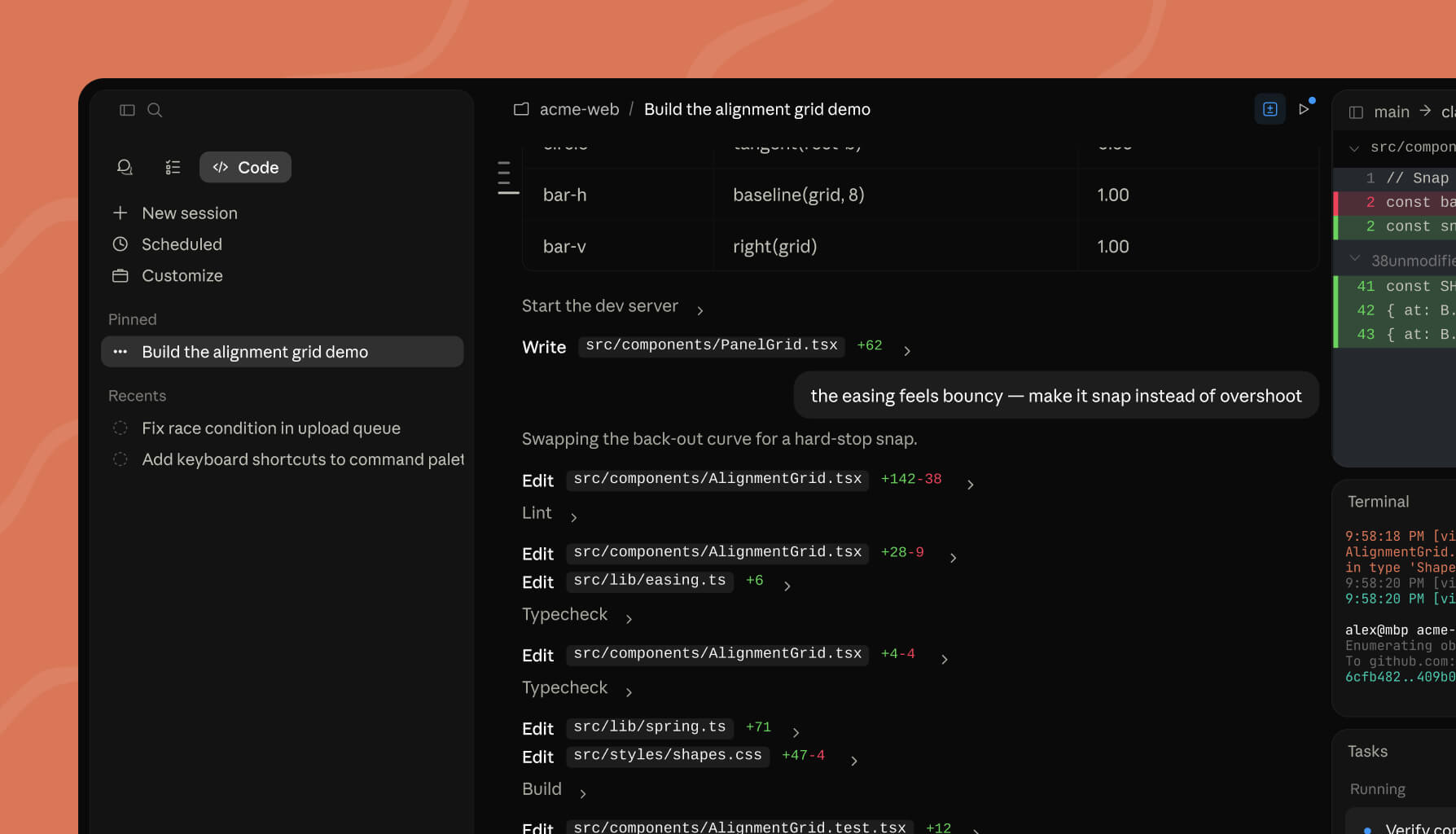
Claude Code is an agentic AI coding tool built by Anthropic that runs directly in your terminal and integrates with VS Code and JetBrains IDEs. Unlike traditional AI coding assistants that suggest single-line completions, Claude Code operates as an autonomous agent: it reads your full codebase (up to 1 million tokens of context), plans changes across multiple files, writes the code, runs tests, reads error output, and iterates — all without you micromanaging each step.
It was released in May 2024, hit general availability in early 2025, and by 2026 has become the highest-scoring AI coding agent on the SWE-bench benchmark at 80.8% — a standard measure of an AI's ability to resolve real GitHub issues. Real teams have used it to migrate 50,000-line codebases in 20 hours and reduce incident investigation time by 80%.
Why Claude Code Is Different
Most AI coding tools are autocomplete engines with a chat panel bolted on. Claude Code is built on a different model entirely.
1 million token context window. Claude Code can hold your entire codebase in context simultaneously — not just the open file. When you ask it to add a feature, it actually understands how your modules connect, what your existing patterns are, and where a change in one file cascades to another.
Terminal-native agent, not an IDE plugin. It runs in your existing terminal and works with every editor, CI system, and shell script you already use. You can pipe log files into it, run it in GitHub Actions, or trigger it from a Slack message.
CLAUDE.md — persistent project memory. Drop a
CLAUDE.md file into your repository and Claude Code reads it every session. You define your coding standards, architecture decisions, review checklists, and forbidden patterns once — and the agent follows them every time without you repeating yourself.Multi-agent parallelism. For large refactors, Claude Code can spawn up to 30 parallel sub-agents via the
/batch command, each working in an isolated git worktree, each opening its own pull request. What would take a team of engineers a week can run overnight.Slack → PR workflow. In enterprise mode, you can tag
@Claude in a Slack thread with a bug description and receive a pull request — without touching your terminal at all.Getting Started: How to Install Claude Code
Step 1: Install Claude Code
macOS / Linux / WSL (recommended — auto-updates automatically):
curl -fsSL https://claude.ai/install.sh | bash
Windows PowerShell (recommended — auto-updates automatically):
irm https://claude.ai/install.ps1 | iex
Homebrew (macOS/Linux — does not auto-update):
brew install --cask claude-code
VS Code / Cursor: open the Extensions panel (
Cmd+Shift+X or Ctrl+Shift+X), search Claude Code, install. The extension connects to the same session running in your terminal.JetBrains IDEs: install the Claude Code plugin from JetBrains Marketplace. Works with WebStorm, IntelliJ, PyCharm, GoLand, and all other JetBrains products.
Step 2: Authenticate
claude auth login
This opens a browser window to connect your Anthropic account. Claude Code is included with Claude Pro ($20/month) and Claude Max ($100/month). Teams and enterprise plans have additional seat-based pricing.
Step 3: Start your first session
cd your-project
claude
That's it. Claude Code reads your project structure on startup and is ready to take instructions in plain English.

The Most Useful Claude Code Commands
Claude Code has 50+ slash commands. These are the ones professional developers use every day.
Session management
| Command | What it does |
|---|---|
/clear | Start a fresh conversation (previous session is saved and resumable) |
/compact | Summarise the conversation to free context without losing the session |
/resume [name] | Resume a previous named session |
/rewind | Revert code and conversation to a previous checkpoint — your undo button |
Planning and review
| Command | What it does |
|---|---|
/plan [description] | Claude proposes its full approach before writing a single line — great for complex features |
/ultraplan [prompt] | Drafts a plan in your browser, waits for your review, then executes |
/review [PR] | Pull request review locally — runs against your branch |
/security-review | Analyses pending changes for security vulnerabilities |
/batch [instruction] | Decomposes a large change into up to 30 parallel sub-agents, each with their own worktree and PR |
Automation
| Command | What it does |
|---|---|
/init | Creates a CLAUDE.md file for your project |
/memory | Edits CLAUDE.md and manages persistent memory |
/schedule [description] | Creates a recurring automated task that runs on Anthropic's infrastructure — even when your machine is off |
/autofix-pr | Spawns an agent that watches an open PR and auto-pushes fixes when CI fails or reviewers leave comments |
Keyboard shortcuts worth memorising
| Shortcut | Action |
|---|---|
Shift+Tab | Cycle through permission modes: default → acceptEdits → plan → auto |
Option+P / Alt+P | Switch model without clearing your prompt |
Option+T / Alt+T | Toggle extended thinking |
Ctrl+G | Open current prompt in your external text editor |
Esc Esc | Rewind conversation to the previous message |
@ | Trigger file path autocomplete inline |
CLI flags for scripting and automation
# Non-interactive: pipe output to other tools
claude -p "summarise what changed in this diff" < git.diff

# Pipe logs directly into Claude for analysis
tail -200 app.log | claude -p "identify any anomalies or errors"

# Review changed files for security before a merge
git diff main --name-only | claude -p "review these for security issues"

# Start in an isolated git worktree
claude -w feature/new-auth

# Always start in plan mode
claude --permission-mode plan
İçerikleri gerçek becerilere dönüştürmeye hazır mısın?
Proje tabanlı eğitimle hemen başla, ilk günden itibaren uygulamalı deneyim kazan.
Claude Code vs Cursor vs GitHub Copilot: 2026 Comparison
All three tools use AI to write code. They are not the same product, and the right choice depends on how you work.
| Claude Code | Cursor | GitHub Copilot | |
|---|---|---|---|
| Paradigm | Terminal-native autonomous agent | AI-native IDE (fork of VS Code) | IDE extension |
| Context window | 1M tokens (entire codebase) | ~200k tokens | 64–128k tokens |
| SWE-bench score | 80.8% | ~72% | Lower |
| Price | From $20/mo (Pro) | $20/mo | $10/mo |
| Autocomplete | No | Yes (Supermaven) | Yes |
| Multi-file agent | ✅ Full autonomous | ✅ Composer | ✅ Copilot Workspace |
| Parallel agents | ✅ /batch (up to 30) | ✅ Background agents | ❌ |
| Persistent memory | ✅ CLAUDE.md | ✅ .cursorrules | ❌ |
| MCP integrations | ✅ Open standard | ✅ Partial | ❌ |
| Slack → PR | ✅ | ❌ | ❌ |
| Scheduled tasks | ✅ | ❌ | ❌ |
| IDE agnostic | ✅ Any terminal | ❌ Cursor IDE only | ✅ Major IDEs |
| Best for | Professional agentic workflows | Developers who want autocomplete + agent in one IDE | Developers deeply integrated with GitHub |
The honest summary: if you want inline autocomplete as you type, Cursor or Copilot wins. If you want to describe a feature and have an agent plan, execute, and iterate across your whole codebase while you review pull requests, Claude Code is in a different category.
Real-World Workflows: What Developers Actually Do With It
Codebase onboarding. Joining a new project?
claude "explain how authentication works in this codebase — trace the full request lifecycle from login to JWT validation"
Claude reads the entire repo, maps module relationships, and explains the architecture. What used to take a week of reading code now takes minutes.
Feature development from a ticket.
claude "implement the user notifications feature described in JIRA-1234 — read the linked spec, check existing notification patterns in the codebase, implement it, write tests, and open a draft PR"
Large-scale migrations. Wiz used Claude Code to migrate 50,000 lines of Python to Go in approximately 20 hours — a migration that would have taken 2–3 months manually. The
/batch command decomposes the migration into parallel sub-agents, each handling a module.Automated test generation.
claude "write comprehensive unit tests for the payments module, run them, and fix any failures before finishing"
Morning PR review routine. Using
/schedule, you can create a routine that automatically reviews every open PR every morning, posts inline comments, and sends a Slack summary — running on Anthropic's infrastructure, not your laptop.Claude Code and Learning to Code: What It Changes for Developers in 2026
Claude Code doesn't replace the need to understand software engineering — it amplifies the engineers who do.
The developers who get the most value from Claude Code are not beginners who paste errors into a chat box. They're engineers who know how to break down a problem, evaluate the agent's plan before execution, read the code it produces, and catch when it goes wrong. Claude Code operates like a very capable junior developer: it executes well when given a clear brief, but it needs a senior engineer to define the work, review the output, and own the architecture decisions.
This changes what learning to code actually means in 2026. The valuable skills are now:
- System design and architecture (telling the agent what to build)
- Code review (evaluating what the agent produced)
- Prompt engineering for agentic tasks (writing effective
CLAUDE.mdfiles and task descriptions) - Understanding fundamentals deeply enough to catch the agent's mistakes
At Archi's Academy's Frontend Development track, these are exactly the skills being trained — through real work simulations, scoped tickets, and a mandatory PR review process where every line of code gets reviewed by an experienced instructor. It's structured like an actual engineering team, not a series of tutorials. If you're building the skills that make AI tools like Claude Code actually useful rather than dangerous, the Frontend Development track is where to start.
For developers who want to go deeper into building AI-powered applications, APIs, and automation pipelines — the kind of backend infrastructure that Claude Code itself runs on — Archi's Academy's Backend Development track covers real project work in APIs, databases, systems integration, and data pipelines. You'll build the kind of tools that connect to MCP servers, handle webhook events from Claude agents, and process the outputs of AI workflows at production scale.
Both tracks are available with a free 1-week trial — no credit card required.
Frequently Asked Questions
What is Claude Code and what is it used for?
Claude Code is Anthropic's terminal-native AI coding agent. It reads your entire codebase, plans changes across multiple files, writes code, runs tests, and iterates on failures autonomously. It's used for feature development, large-scale migrations, automated test generation, code review, and recurring engineering automation.
Is Claude Code free?
Claude Code is included with Claude Pro ($20/month) and Claude Max ($100/month). There is no permanently free tier for Claude Code, though a limited free trial is available through Claude.ai. Teams and enterprise plans have separate pricing based on usage and seats.
How is Claude Code different from GitHub Copilot?
GitHub Copilot is primarily an autocomplete tool that suggests code as you type. Claude Code is an autonomous agent: you describe what you want to accomplish, and it plans, writes, runs, and iterates across your entire codebase. Claude Code has a 1 million token context window versus Copilot's 64–128k, and scores 80.8% on the SWE-bench benchmark for resolving real software issues.
Can Claude Code work with any programming language?
Yes. Claude Code is language-agnostic and works with any file it can read. In practice, it performs best with widely-used languages like TypeScript, JavaScript, Python, Go, Rust, Java, and C++, since these are well-represented in Claude's training data.
What is CLAUDE.md and should I create one?
CLAUDE.md is a project-level instruction file that Claude Code reads at the start of every session. You can define your coding conventions, architecture rules, folder structure expectations, review checklists, and anything you'd tell a new developer joining the team. Creating one significantly improves consistency across sessions. Run
/init in your project directory and Claude Code will generate a starting template.Is Claude Code good for beginners learning to code?
Claude Code is most powerful in the hands of developers who already understand fundamentals — so they can evaluate its plans, catch its mistakes, and own the architecture decisions. Beginners who rely on it without understanding the underlying code risk building things they can't maintain. If you want to build the foundational skills that make AI tools genuinely useful, a structured program like Archi's Academy's work simulation tracks gives you those foundations through real project-based learning with expert code review.
Does Claude Code work with VS Code?
Yes. Install the Claude Code extension from the VS Code marketplace. It connects to your terminal session and provides inline diff views, file navigation, and permission approvals directly in the IDE. JetBrains IDE support is also available via the JetBrains Marketplace plugin.
Summary
Claude Code represents a genuine shift in how professional software development works. It's not a smarter autocomplete — it's an agent that can onboard to your codebase, execute multi-file features, migrate entire codebases in parallel, and run automated engineering workflows on a schedule. The SWE-bench score of 80.8% is not a marketing number; it reflects a tool that can resolve real engineering tasks on real codebases.
The developers getting the most value from it in 2026 are those with strong fundamentals — people who can define clear tasks, review the agent's output critically, and catch architectural decisions before they become technical debt. If you want to build those skills through real work simulations with expert feedback, explore Archi's Academy's skill tracks — or start with a free 1-week trial to see how project-based learning with PR reviews works in practice.

Cuma, May 8, 2026