




Mentorship
Technology
Productivity
How to use Github ?
Why is GitHub profile essential, and why should you learn as a developer?
If you are a developer who is starting to learn to program, the chances of not having experience with working with a team are less. Every company would be seeking your experience during your interview. But how are you going to show understanding if you don't have experience working somewhere?
It's a chicken and egg problem for a person who has not worked and is looking for experience. How can you gain experience without working in a company, but the company won't hire you without incident. But, guess what, you can show expertise even without working at a company.
Welcome, Github - Collaborative platform for code sharing. Just like LinkedIn, every developer or professional should have it.
What are git and GitHub?
Git is a free and open-source version control system, usually used by developers to collaborate with other developers for code sharing.
Github is a service provider for git by easy and maintainable cloud services.
How to create a profile in Github?
It won't take more than 5 mins to create a new profile on Github. It's free, and you can complete the shape by visiting github.com and finishing a few steps, which allows you to create a new profile.

How to use GitHub? Is it difficult to learn?
Upon completing the signup, you can create a new repository for your project. A software repository, or "repo," is a storage location for software packages. You should be able to create a private or a public repository to start with.
One step at a time.
How to create a new github repository?
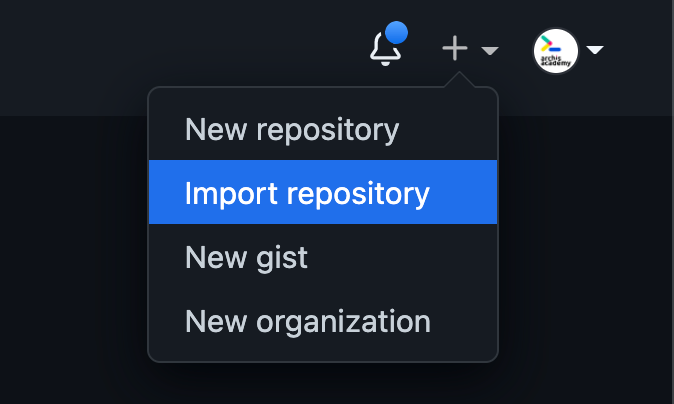
Option for create a creating a new github repository can seen by clicking the + button.
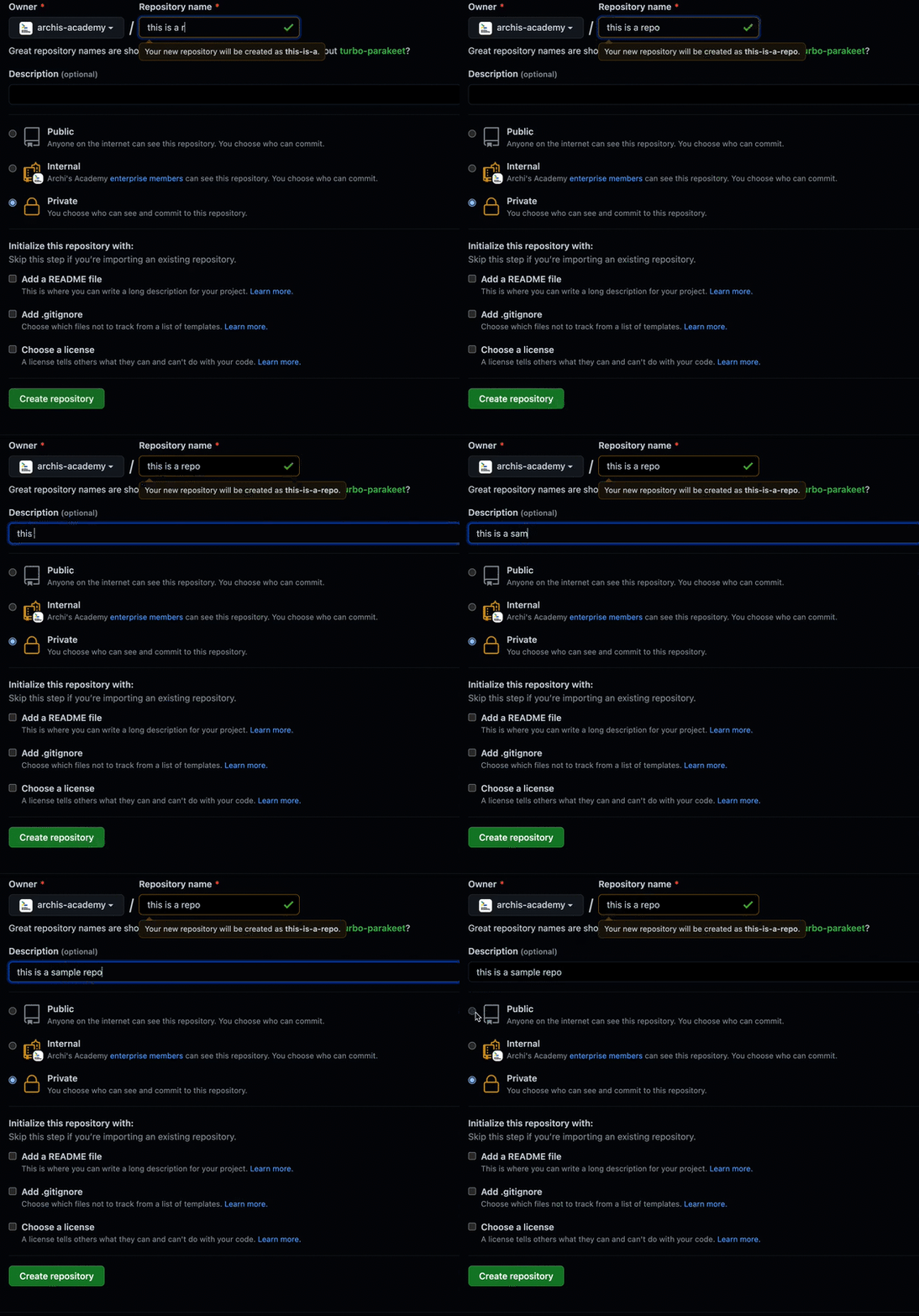
Follow the steps to create a new repository by filling the necessary information.
Github commands are straightforward to learn, and as you gain experience, you will be writing commands with a breeze.
Top Git Commands Every Developer Should Know
git clone https://name-of-the-repository-link - it is used to download the repository to your system.

git checkout
Most commonly used git command, if you want to work on a newly created git branch, you need to use this command to switch to that branch.

git status
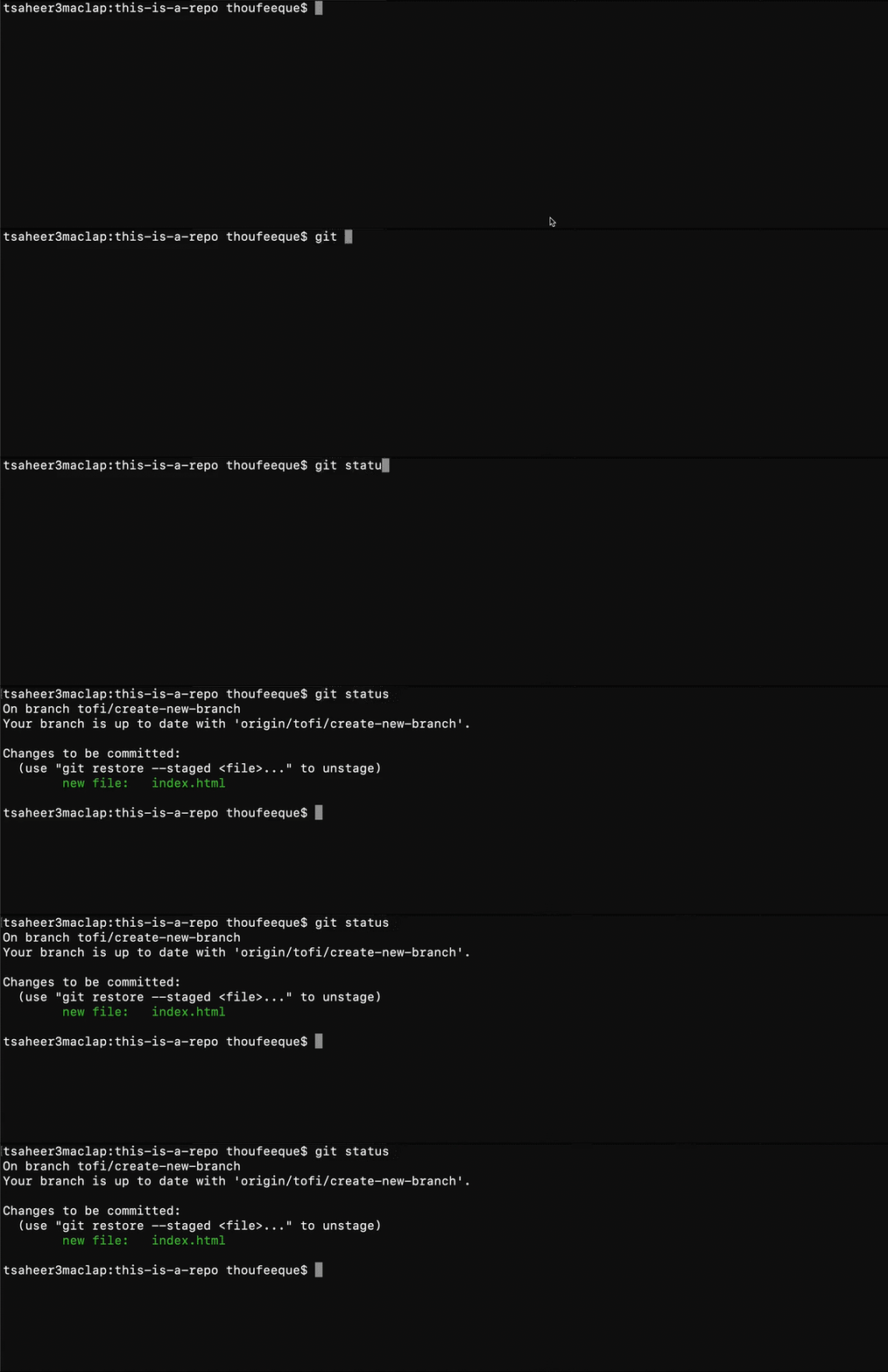
Gather information about your current status of git. For example, you could use it for unsaved codes, check the branch you are at, check your git branch is an update to date, etc.
git add
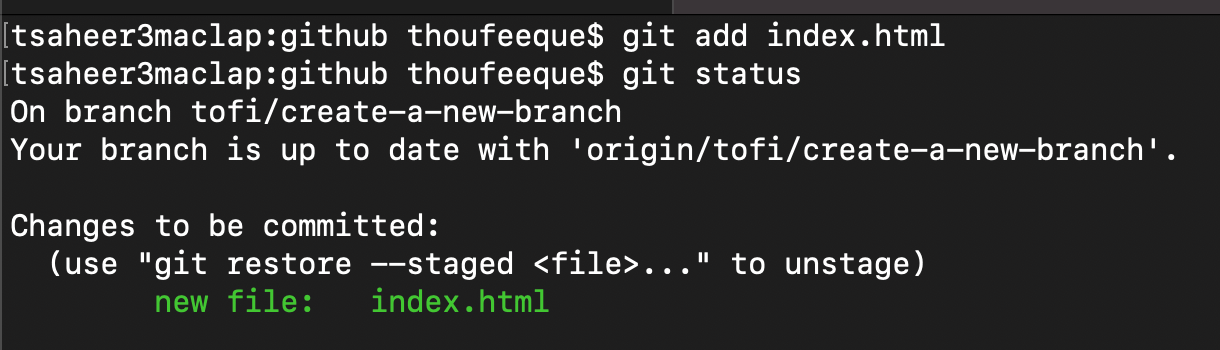
When you make changes to your code, it will only save to your local drive, not to git until you make a git commit. To let git know that you need to keep the files that were changed and ready to be committed, we use git add.
git commit -m "commit message."
It is the most used ever git command, and you will be using it forever. To save changes for your code, you use git commit. Being a professional developer, make sure to provide meaningful messages to your git commit. Your git messages should be easy to read, and your fellow collaborators would be easy to understand.

Archi's Academy - A GitHub campus program sponsored school.
Archi's Academy is a GitHub campus program sponsored school; hence we promote the importance of GitHub in your professional career. Due to this program, we can provide some exclusive swag items from Github.

Join Archi's Academy today if you want to excel in git and GitHub - complete our skill test today

Cumartesi, Mar 26, 2022