



Technology
Computer Science
Computer Software
Computer Graphics
What is CAD? Computer-Aided Design Explained (Software, Uses & Examples)
What is CAD (Computer-Aided Design)? A Complete Guide for 2026
TL;DR: CAD (Computer-Aided Design) is software used by engineers, architects, and designers to create precise 2D and 3D models on a computer. It replaced hand-drawn technical drafting and is now used to design everything from buildings and cars to microchips and furniture. The most widely used CAD tools include AutoCAD, Revit, CATIA, SolidWorks, and Inventor. And in 2026, AI - including Claude - has entered the CAD workflow in a significant way.
What is CAD (Computer-Aided Design)?
CAD, short for Computer-Aided Design, is a technology that allows engineers, architects, and product designers to create, modify, and optimise 2D drawings and 3D models digitally. Before CAD, every technical drawing was produced by hand on drafting tables - a process that was slow, difficult to revise, and prone to human error.
Today, CAD software is the standard in virtually every design and engineering discipline. Over 3 million professionals use CAD tools daily across architecture, mechanical engineering, product design, aerospace, automotive, and construction sectors.
Look around you right now. If the objects you see were made in the last 30–40 years - the chair you're sitting on, the phone in your hand, the building you're in - it's almost certain they were designed using CAD software.
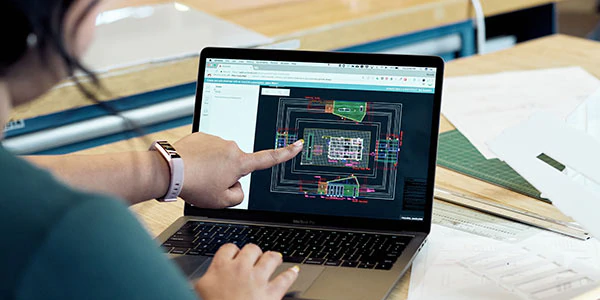
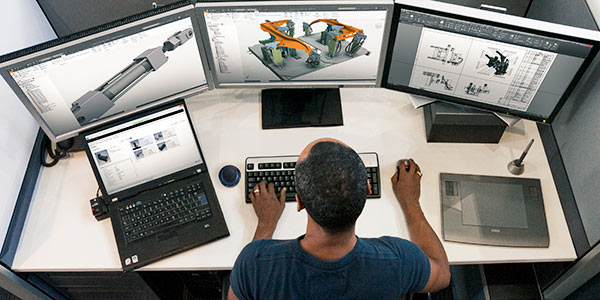
What is CAD Used For?
CAD spans a wide range of industries and applications:
- Architecture & Construction - floor plans, building elevations, structural drawings
- Mechanical Engineering - machine parts, assemblies, technical documentation
- Automotive Design - car body panels, engine components, interiors
- Aerospace Engineering - aircraft structures, turbine blades, fuselage design
- Product & Industrial Design - consumer electronics, furniture, packaging
- Electrical Engineering - circuit board layouts, wiring schematics
- Civil Engineering - road layouts, bridges, infrastructure planning
CAD vs Traditional Drafting
| Feature | Traditional Drafting | CAD Software |
|---|---|---|
| Speed | Slow (hours per drawing) | Fast (edits in seconds) |
| Accuracy | Prone to human error | Mathematically precise |
| Revision | Requires redrawing | Edit and regenerate instantly |
| Collaboration | Physical copies only | Shared digitally in real time |
| 3D Visualisation | Not possible | Full 3D modelling and rendering |
| File Format | Paper | .dwg, .dxf, .stp, .igs and more |
The Most Widely Used CAD Software
The CAD market includes dozens of tools, each suited to specific industries and use cases. Here are the five most important ones.
AutoCAD
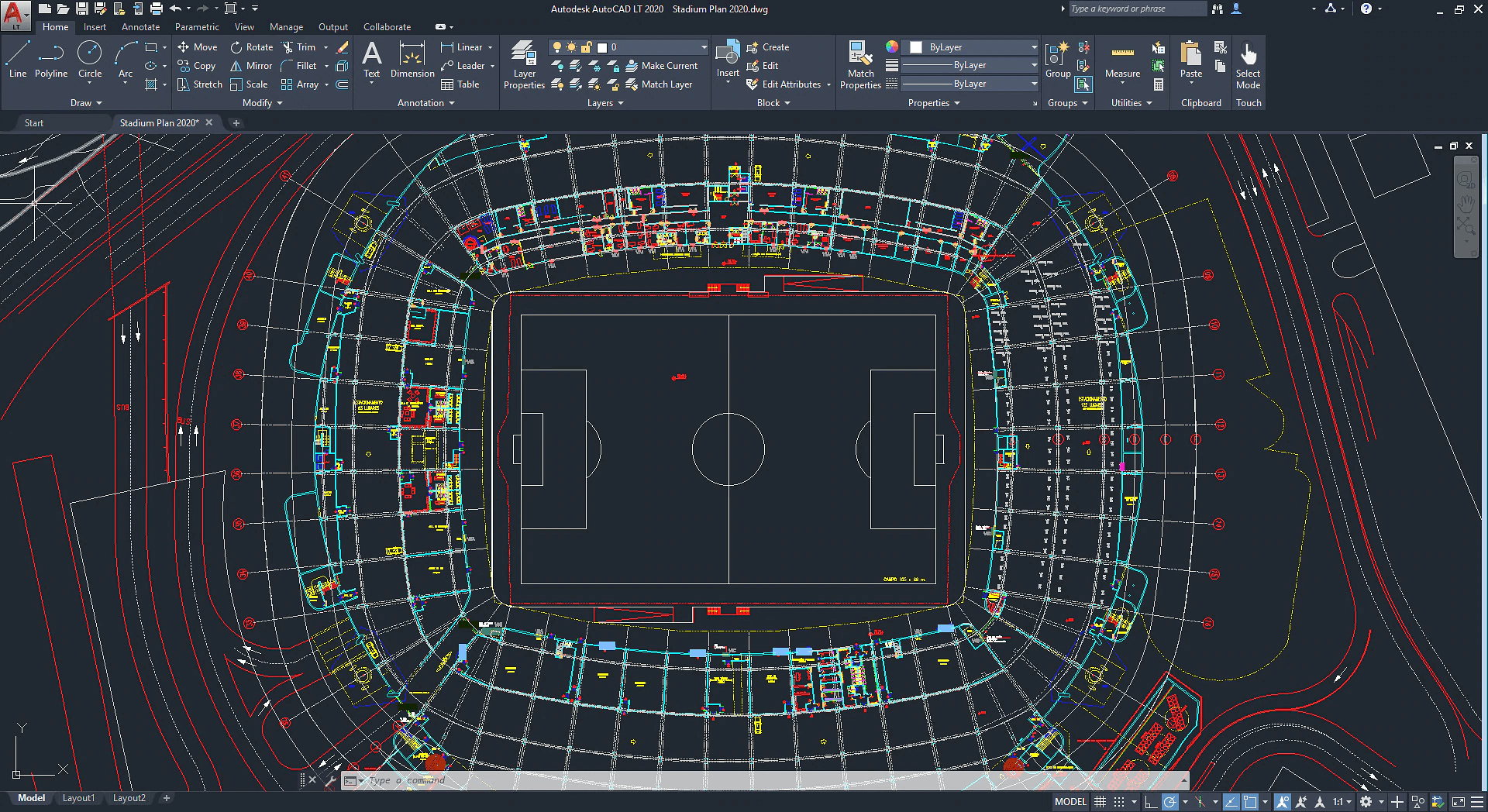
AutoCAD is the most widely used CAD software in the world. Developed by Autodesk since the early 1980s, it is a vector-based drawing tool - meaning drawings are resolution-independent and can be scaled to any size without loss of quality.
AutoCAD files use the
.dwg extension and .dxf for compatibility with other CAD programs. It's the industry standard for 2D drafting in architecture, civil engineering, and interior design. The building you're in right now was almost certainly built from a .dwg file.Best for: 2D technical drawings, architectural plans, civil engineering
Revit
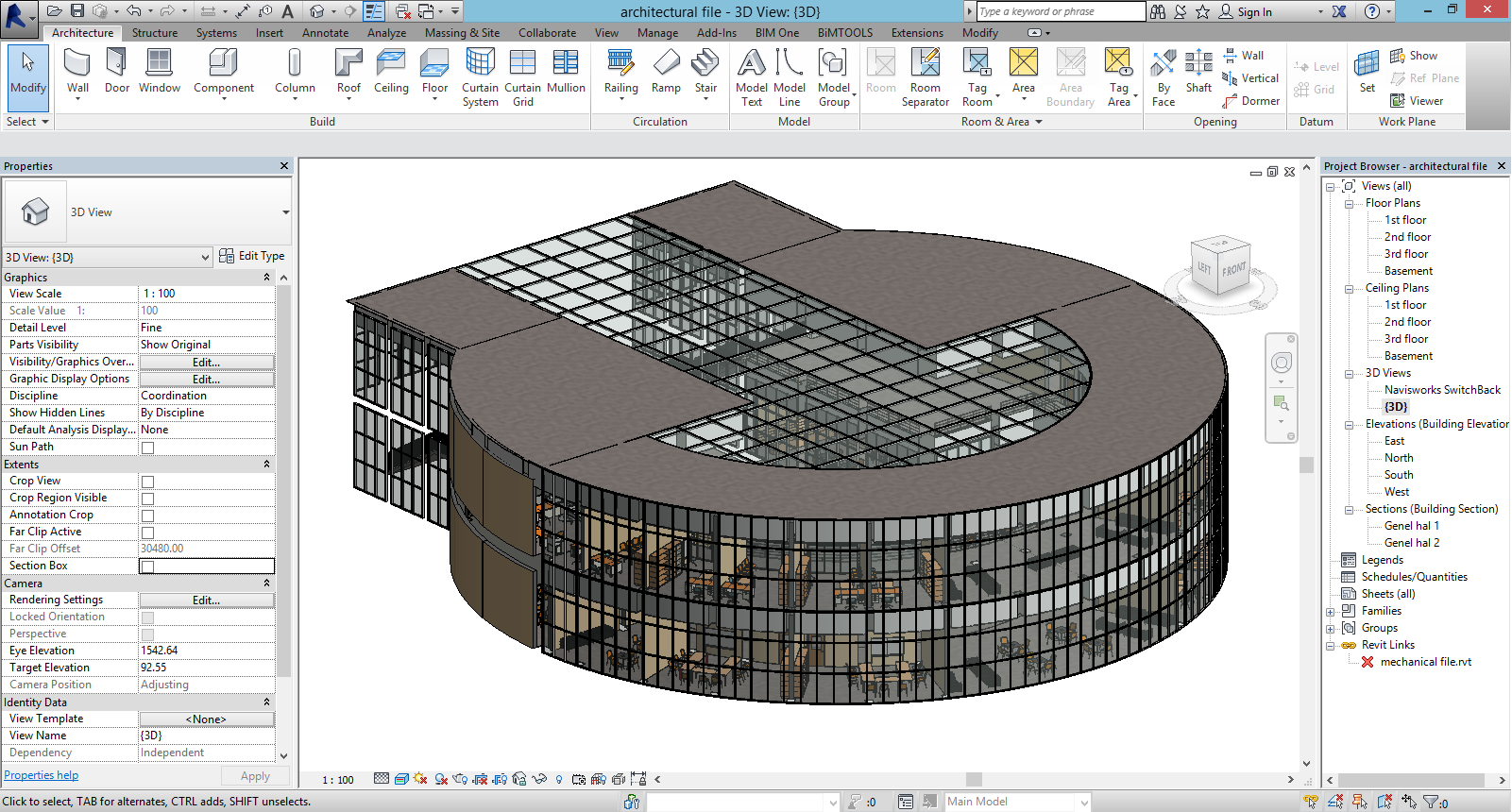
Revit is both a CAD tool and a BIM (Building Information Modeling) platform, also developed by Autodesk. BIM goes beyond drawing - it embeds data into every element of a building model (materials, costs, structural loads, MEP systems) and tracks the building across its entire lifecycle.
One of Revit's most powerful features is automatic 2D output: when you design a building in 3D, Revit automatically generates floor plans, sections, and elevation sheets. Multiple disciplines - structural, architectural, mechanical, electrical - can work simultaneously on the same model.
Best for: Architectural design, structural engineering, MEP engineering, BIM workflows
CATIA

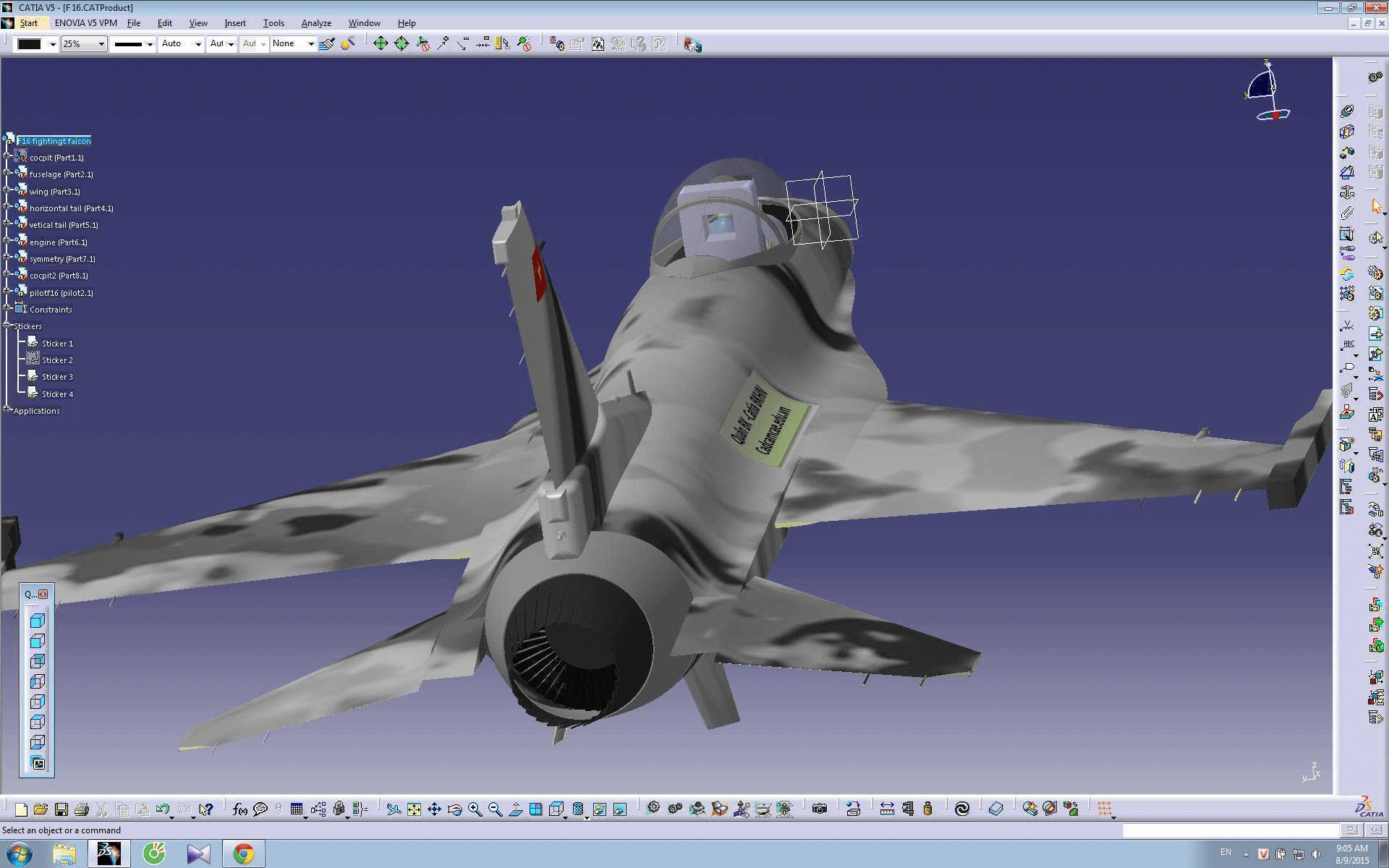
CATIA (Computer Aided Three-dimensional Interactive Application), developed by Dassault Systèmes and available since 1981, is the CAD platform of choice in the aerospace, automotive, and shipbuilding industries - famously used to design the Boeing 777 and Airbus A380.
CATIA handles complex surface geometry, multi-disciplinary engineering (mechanical, electrical, fluid systems), and large-scale assembly design that other CAD tools struggle with at scale.
Best for: Aerospace, automotive, shipbuilding, high-complexity surface modelling
SolidWorks
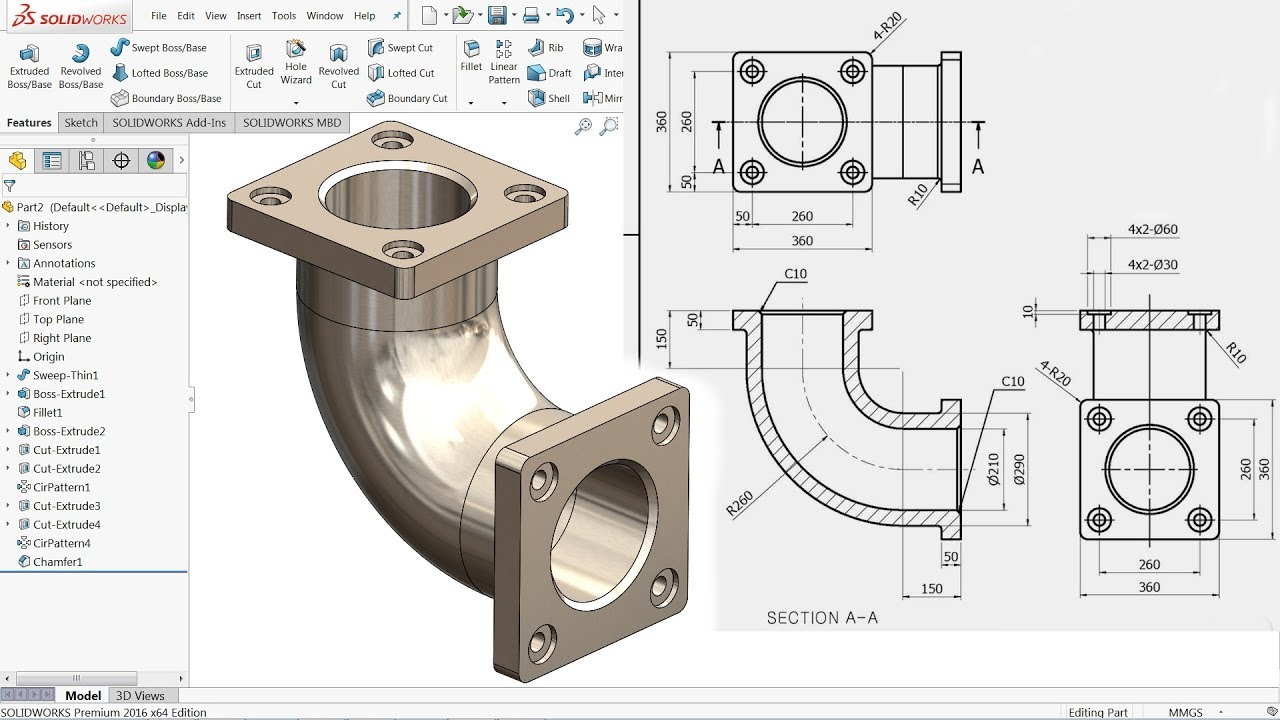
SolidWorks, first released in 1995, was the first major 3D CAD software fully integrated with the Windows operating system. It uses parametric, feature-based solid modelling - every dimension and feature is driven by parameters that can be changed at any time, automatically updating the entire model.
SolidWorks is widely used in machinery, furniture, plastic and sheet metal design, automation, mechatronics, and industrial product design. It's one of the most common 3D CAD tools globally and a popular choice in engineering education.
Best for: Mechanical engineering, industrial product design, manufacturing, prototyping
Inventor
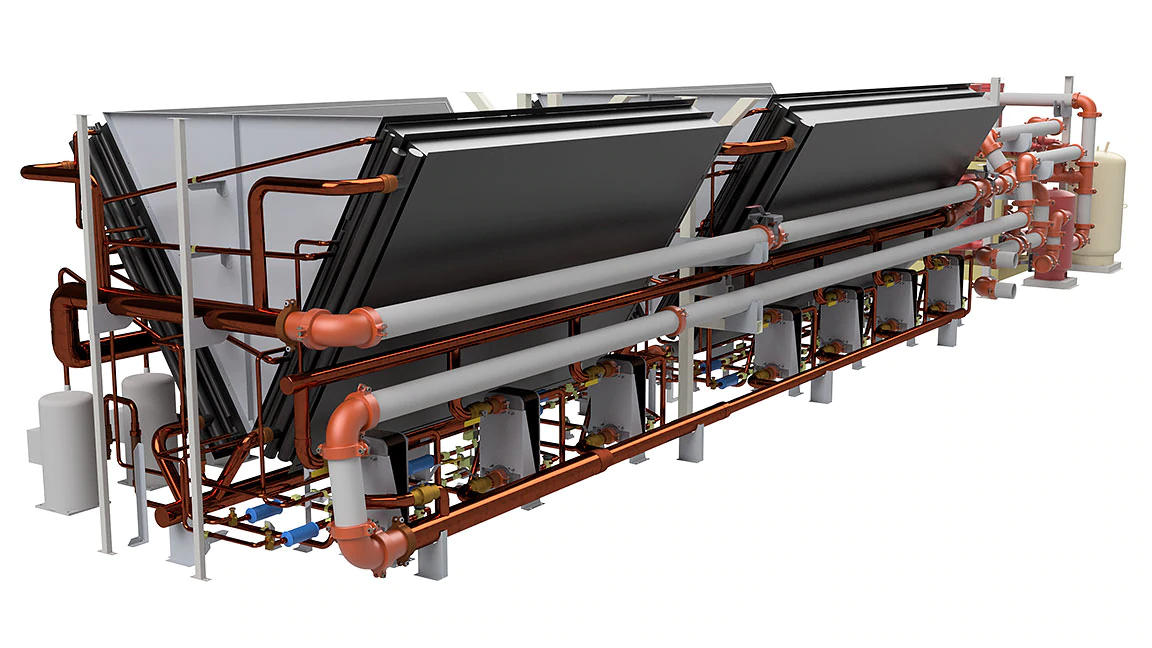
Inventor is Autodesk's dedicated 3D mechanical design tool for product design, simulation, visualisation, and technical documentation. Because it saves files in
.dwg format, Inventor integrates seamlessly with AutoCAD workflows - teams can move between 2D and 3D without compatibility issues.One of Inventor's standout features is functional design: the software can automatically generate component geometry based on functional requirements - specifying that a shaft must transmit a certain torque, for example, and Inventor calculates appropriate dimensions.
Best for: 3D mechanical design, simulation, product documentation, AutoCAD integration
Claude + CAD: AI Enters the Design Workflow
Something significant happened in 2026 that every CAD user should know about: AI arrived inside the CAD environment itself.
In April 2026, Anthropic launched Claude for Creative Work, which included a direct integration between Claude and Autodesk Fusion via the Model Context Protocol (MCP). For the first time, engineers and designers can describe what they want to build in plain language - and Claude executes those actions directly inside Fusion.
This isn't a chatbot that suggests what buttons to click. It's a live connection between an AI and the CAD engine.
What Claude Can Do in Autodesk Fusion
The Autodesk Fusion MCP server empowers Claude to directly interact with Fusion's CAD engine, allowing users to issue commands for sketching, 3D modeling, assembly creation, design inspection, and data export using natural language prompts.
In practical terms, that means:
- Sketching - create geometry, apply constraints, add dimensions through conversation
- 3D Modelling - extrude, revolve, loft, sweep, shell, fillet, boolean operations and more
- Assembly Management - create components, move bodies, define joint types
- Design Inspection - query design info, measure distances, inspect face and edge details
- Format Export - STL for 3D printing, STEP for CAD interoperability, F3D for Fusion archives
- Repetitive task automation - batch operations that would take hours manually
A demonstration shows Claude receiving a request to rearrange keys on a keyboard assembly. The AI analyses the existing geometry, identifies misalignment issues with the PCB and casing, and executes the repositioning across the model. That kind of work - understanding an existing model and modifying it intelligently - was not possible with AI tools even a year ago.
How It Works: MCP (Model Context Protocol)
The connectors are built on Model Context Protocol (MCP), an open standard that governs how AI systems interact with external tools and services. Rather than replacing existing CAD workflows, the integrations position Claude as an interface layer that can translate plain-language instructions into structured design actions within the host application.
Autodesk released two separate MCPs for this integration: one action-oriented protocol for creating, modifying, and automating work on 3D models, and a second data-oriented protocol for searching, querying, and reusing design data across projects. Your data stays within Autodesk's existing privacy and security standards - you control what Claude can access.
Beyond Fusion: Claude Across the Design Stack
The Autodesk Fusion integration is the headline, but it's not the only one. Additional connectors cover Adobe Creative Cloud, Ableton, Splice, Affinity by Canva, SketchUp, and Resolume. SketchUp integration turns natural-language descriptions of rooms or structures into initial 3D geometry ready for refinement.
Claude can also translate formats, restructure data, and keep assets in sync across a project and multiple software applications. For teams working across multiple tools - CAD, rendering, documentation, simulation - this kind of cross-platform coordination has historically required significant manual effort.
What This Means for CAD Professionals
This is early-stage technology, and it's worth being clear-eyed about what it can and can't do. Claude for CAD could accelerate first-pass modelling and repetitive design tasks, although complex assemblies and geometries still produce inconsistent results.
Where it genuinely helps right now:
- Rapid concept exploration - turn an idea into a 3D sketch to evaluate proportions
- Repetitive operations - applying the same fillet, pattern, or parameter across many components
- Design queries - "what are the dimensions of this body?" without hunting through menus
- Onboarding - helping less experienced users navigate complex CAD tools
Where human expertise is still essential:
- Manufacturing-ready models with tight tolerances
- Complex assemblies where constraint relationships matter
- Structural and simulation analysis
- Design for manufacture (DFM) decisions
AI is powerful at pattern recognition and coordination, but generating an idea is not the same as producing something real. Manufacturable outcome requires engineering rigor, precision, and domain data and expertise built over decades. The AI handles the interface layer. The engineering judgment stays with the engineer.
CAD and Software: Where They Connect
CAD has evolved far beyond static drawing tools. Modern CAD platforms integrate directly with software systems:
- PLM (Product Lifecycle Management) - manages CAD files across teams and versions
- CAM (Computer-Aided Manufacturing) - reads CAD models to control CNC machines
- CAE (Computer-Aided Engineering) - runs simulations (stress, fluid dynamics, thermal) on CAD geometry
- APIs and scripting - AutoCAD, Revit, and SolidWorks all support Python or C# automation for repetitive tasks
- AI integration via MCP - Claude and other AI systems connecting directly to CAD engines, as described above
This intersection of engineering design and software development is one of the fastest-growing areas in the industry. If you're interested in understanding how these systems connect - and potentially building tools that work within them - developing your software and technical foundations is the place to start.
The Future of CAD
CAD technology continues to evolve rapidly:
- Cloud-based CAD - tools like Autodesk Fusion 360 and Onshape run entirely in the browser
- AI-assisted design - generative design algorithms explore thousands of design variations automatically, and AI (including Claude) now takes direct action inside CAD environments
- 3D printing integration - CAD models export directly to print-ready formats (.STL, .OBJ)
- AR/VR visualisation - architects and engineers review designs in immersive 3D environments
- Natural language modelling - describing what you want and having an AI build the geometry is no longer science fiction
The role of the CAD professional is shifting. Expertise in engineering principles, design intent, and manufacturing constraints matters more than ever - while the mechanical parts of the workflow get faster and more automated.
Frequently Asked Questions
What is CAD in simple terms?
CAD (Computer-Aided Design) is software that lets engineers, architects, and designers create precise technical drawings and 3D models on a computer. It replaced manual drafting and is used to design virtually every manufactured object in the modern world.
What is the most popular CAD software?
AutoCAD is the most widely used CAD software globally, particularly for 2D technical drawings. For 3D mechanical design, SolidWorks and CATIA are dominant. In architecture and construction, Revit is the industry standard for BIM workflows.
Can Claude (AI) help with CAD?
Yes - as of 2026, Claude integrates directly with Autodesk Fusion through the Model Context Protocol (MCP). You can describe what you want to build in plain language and Claude executes those actions inside Fusion. This works for sketching, 3D modelling, assembly work, design queries, and format exports. It accelerates first-pass modelling and repetitive tasks, though complex manufacturing-ready work still requires human engineering expertise.
Is CAD hard to learn?
The learning curve depends on the software and the complexity of what you're designing. Basic 2D AutoCAD drafting can be learned in a few weeks. Full proficiency with tools like CATIA or Revit for complex projects typically takes 6–12 months of practice.
What is the difference between CAD, CAM, and CAE?
CAD (Computer-Aided Design) creates the model. CAM (Computer-Aided Manufacturing) uses the CAD model to control manufacturing machines. CAE (Computer-Aided Engineering) runs simulations and analysis on the model to test performance before building. All three often work together in modern engineering workflows.
Do software developers need to know CAD?
Not typically, but developers who build tools for engineering industries - PLM systems, CAD plugins, AI integrations, manufacturing automation - benefit from understanding CAD file formats (.dwg, .dxf, .stp) and how CAD workflows operate. The growth of MCP-based AI integrations with CAD tools is creating new opportunities at exactly this intersection.
Is CAD software free?
Some CAD tools offer free versions - Autodesk offers free licences for students and educators, and Fusion 360 has a free tier for personal use. Professional licences for tools like CATIA and SolidWorks are expensive (thousands of dollars per year). Open-source alternatives like FreeCAD exist for basic use.
Want to Build Skills That Work With These Tools?
CAD sits at the intersection of engineering, design, and increasingly, software. Whether you're an engineer looking to understand how AI is changing your workflow, or a developer curious about the technical systems that power modern design, having strong fundamentals in how software systems work - and how to build them - opens doors across all of these fields.
At Archi's Academy, we teach technology skills through real project work and work simulations - not just tutorials. If you're curious about the technical foundations behind tools like these, or want to learn how software connects to complex engineering systems, we'd love to help you figure out where to start.
Or if you'd prefer to speak to someone directly about which path makes sense for your goals:
Summary
CAD (Computer-Aided Design) transformed how the physical world is designed and built. From the buildings we live in to the devices we carry, CAD software sits at the foundation of modern engineering and product development. AutoCAD, Revit, CATIA, SolidWorks, and Inventor each serve distinct industries and workflows - understanding which tool fits which context is the first step to working effectively in any design or engineering environment.
And in 2026, the discipline is changing again. AI tools like Claude now connect directly to CAD environments, translating natural language into real design actions. The engineers and designers who understand both the traditional tools and the new AI layer will be the ones shaping what comes next.
Have questions about CAD, or where to start building technical skills? Reach out to the Archi's Academy team - we're happy to help.

Pazartesi, Kas 8, 2021