



JavaScript
HandlebarsJS
HandlebarsJS
Web templates can be a great solution for switching from a static website to a dynamic website, or they may come in handy while dealing with hundreds of different pages.
Let’s assume that a website has a hundred members. The owner of the site wants them to see their name on the welcome screen if they’re logged in.
To make this happen, a hundred separate HTML files can be created and adjusted for each user, but it is obvious that this will be very time-consuming and won’t be sustainable as more users come in.
Instead of that, creating a template for the welcome screen will be very helpful and probably solve the problem once and for all as the template uses that particular name from the database to display it on the screen.
The template that is mentioned in the example is a member of the server-side template systems. Handlebars is an option among many other alternatives such as Django, Mustache, EJS, etc...
It is a simple templating language that was built on Mustache, so the features of Mustache can be used in the same way in a Handlebars template. The difference between them is Handlebars have more options for using helpers in the template.
Basic Usage
In the example below, downloaded package is “express-handlebars” as the express package is used on the server-side.
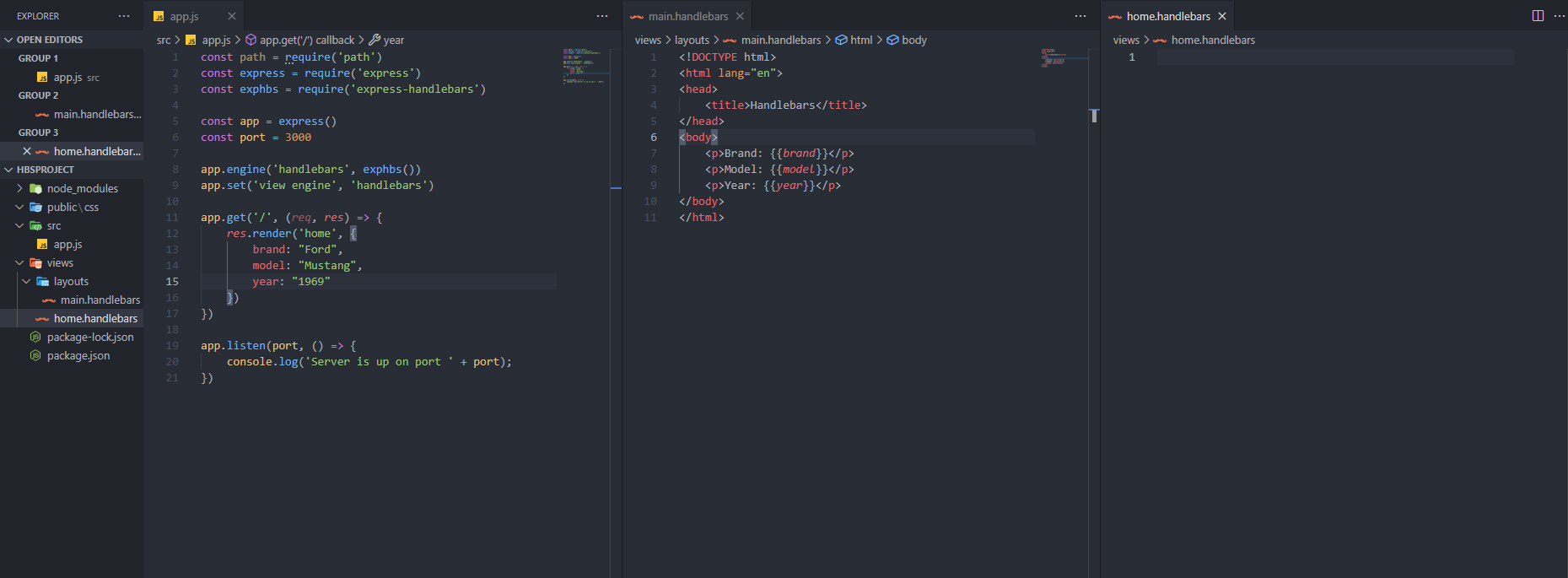
Step 1: Create a new app.js file and install the necessary packages. Use the following command to install npm i express express-handlebars.
Step 2: Import the packages in the app.js and set app and port. Then, set the templating engine.
Step 3: Use the .get method for reading and after that, create a function inside of .get to render the page.
Step 4: Create a folder structure for views. Which is like the following structure: views/layouts/main.handlebars and views/home.handlebars
Step 5: Create a file with .handlebars extension and code like it is an HTML file. To include objects use the name of keys in double curly brackets.
Step 6: Save all the files and run the app in the terminal. Then go to your localhost by browsing.
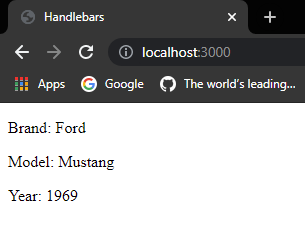
As it’s discussed before, templating would come in handy while dealing with a lot of data. In the example, only one object is used for displaying the info about cars and there was no database connected to the app.
So it can’t be tested for welcoming different users, but as it is a basic usage, tens of cars can be displayed on the browser without duplicating the code by using iterations.
To sum up, templates can be very useful to save time and provide sustainability for our projects. Also, there are lots of templating language options other than Handlebars, depending on developer preferences.
This was a brief and basic introduction to using Handlebars with Express in Node. I hope it helps you to have a basic understanding.
You can follow me for more interesting topics and leave a like if you like it.
Goodbye have a nice day!

Cuma, Tem 9, 2021